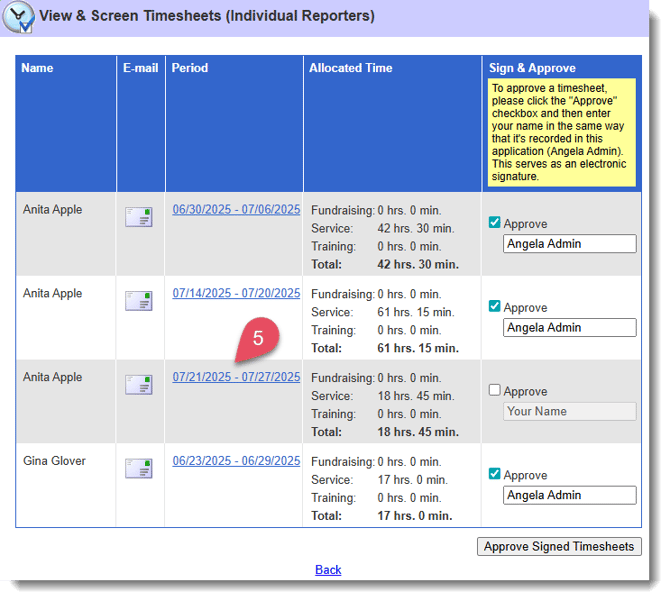
When approving timesheets using Fast Track you will only see the main categories and time accrued in each, you will not see time accrued in sub-categories, any written descriptions, or the audit trail.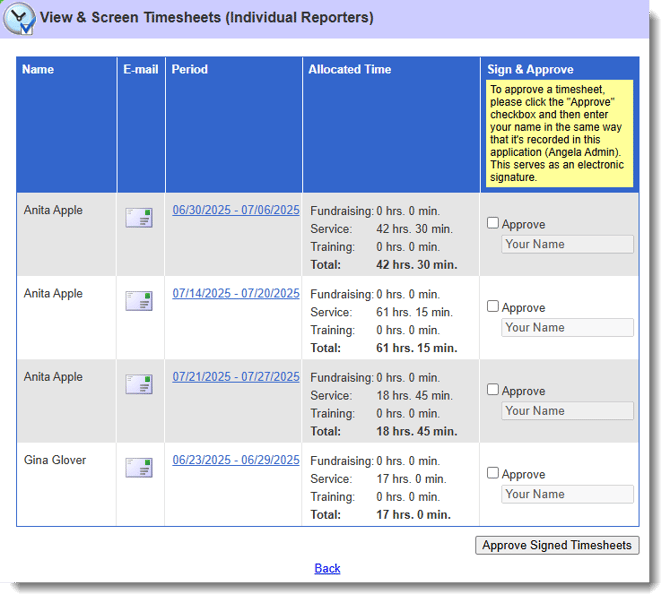
WARNING: Fast Track is designed for supervisors and directors who oversee multiple reporters with very consistent schedules. It allows you to skip the detailed, one-by-one review of each timesheet. Because of this, Fast Track is not recommended for most supervisors and directors.
How to Turn on Fast Track
This feature can be turned on for specific admin roles.
Here's how:
- On the left, in your Mission Control, click the Reporters, Admins, and Sites.
- On the right, click Manage admin roles.
- Find the role you would like to change and click the Edit link.
- When the window opens, scroll to the Timesheets section. Here you'll find the permission to Enable Fast Track for both Timesheet Supervisors and Timesheet Directors.
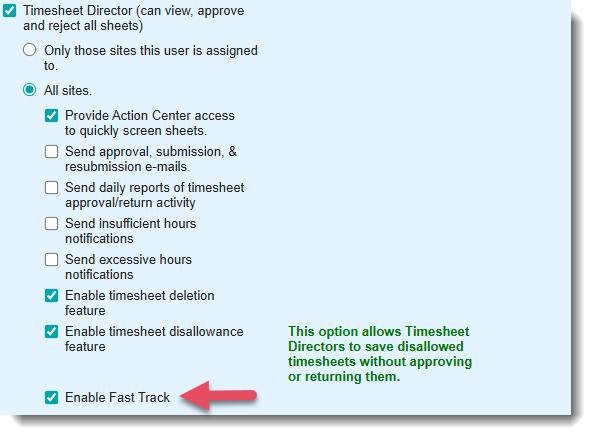
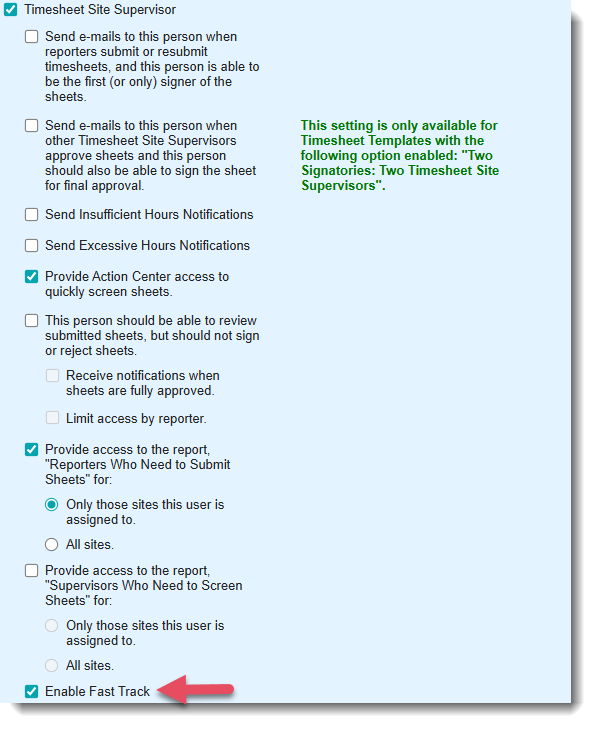
- To save your changes, scroll to the bottom of the window and click Update.
NOTE: If you’re the Main Administrator in the Impact Suite and do not see the Fast Track option in admin role permissions, contact America Learns Support at support@americalearns.net to have this feature activated.
Access Fast Track: From Action Center
- On the left, in your Mission Control, click Action Center.
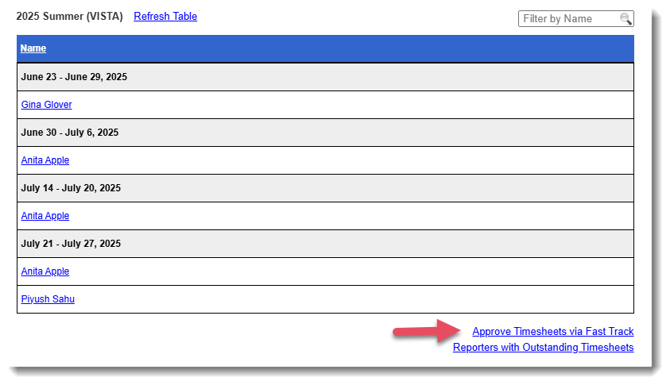
- For each template for which you have timesheets to approve you will see, on the far right, a link Approve Sheets via Fast Track.
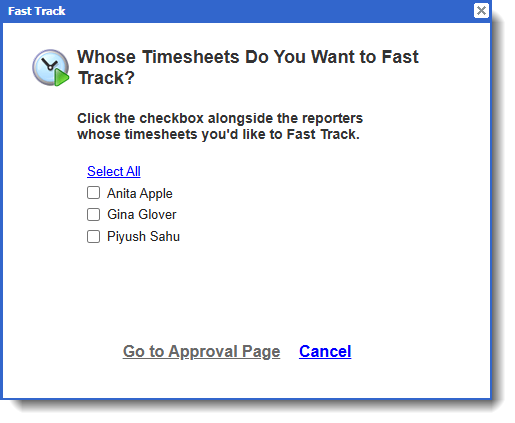
- A pop-up window will appear. To select Reporters, check all relevant checkboxes and click Go to Approval Page.
- Next, follow these steps:
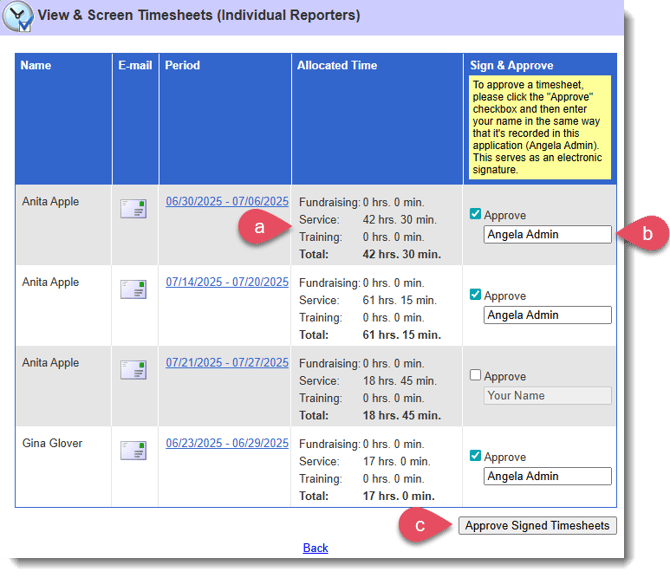
- Review period summaries for each Reporter.
- Approve any sheet by clicking the Approve checkbox and signing your name.
- Then, click the Approved Signed Sheets button.
- To review a timesheet in more detail, click the Period link to open the full timesheet in a separate tab.
NOTE: For step-by-step guidance on screening timesheets one-by-one, see this article.