Whitelisting Email Address
The most likely reason you're not receiving emails from the system is because our emails are getting pushed to your SPAM or Trash folders by your email system. Can you take a quick look to see if you can find our emails there?
If you see them, the next step is to please ask your IT folks to "whitelist" the americalearns.net domain.
If you don't have an "IT department" here are the steps for doing it yourself. (Call us if you need support: 310.693.6698.)
Or, use the instructions below:
|
|
AOL
|
|
|
Comcast
|
|
|
Earthlink
|
|
|
Gmail
|
|
|
Apple Mail
|
|
|
NetZero
|
|
|
Yahoo! Mail
|
|
|
Windows Live Hotmail
|
|
|
Microsoft Outlook 2003
|
|
|
Outlook 2007
|
|
|
Outlook 2010
|
|
|
Mac Mail
|
|
|
Mozilla Thunderbird for PC
Mozilla Thunderbird for Mac
|
|
|
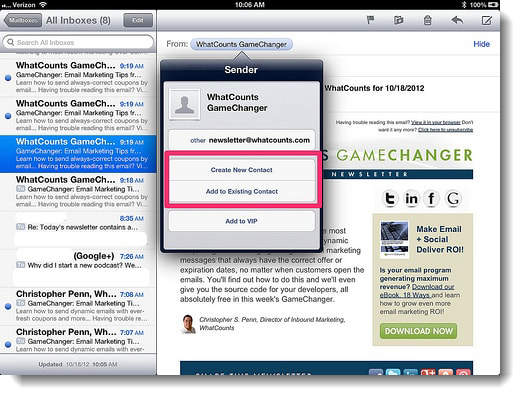
iOS Devices – iPad, iPhone, iPod TouchOn any message, tap the sender and add to either a new contact or an existing contact: |
|
|
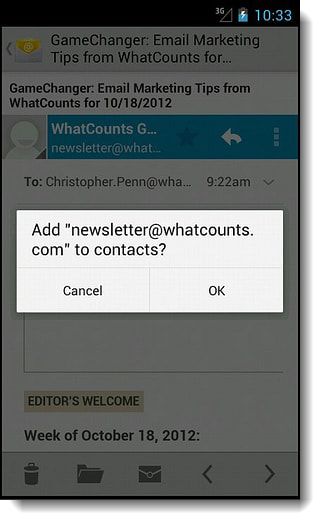
Android Devices – Samsung, Google Nexus, othersIn the default email client, touch the picture of the sender.
|