
What are Non-Goal Hours?
Think of Non-Goal Hours as a separate bucket of time. While Timesheet Positions determine how many goal hours a reporter is expected to complete, Non-Goal Hours are categories you want to document without counting them toward those official goal-tracking totals.
EXAMPLE: Lunch Breaks are a common Non-Goal Hour type. Many programs need a clear record that reporters took a documented lunch, but that time should not count toward Goal Hours. By using a Non-Goal category for lunches, reporters still select an official category on their timesheets, but those hours are tracked separately.
Here’s how this appears on the Reporter Dashboard:
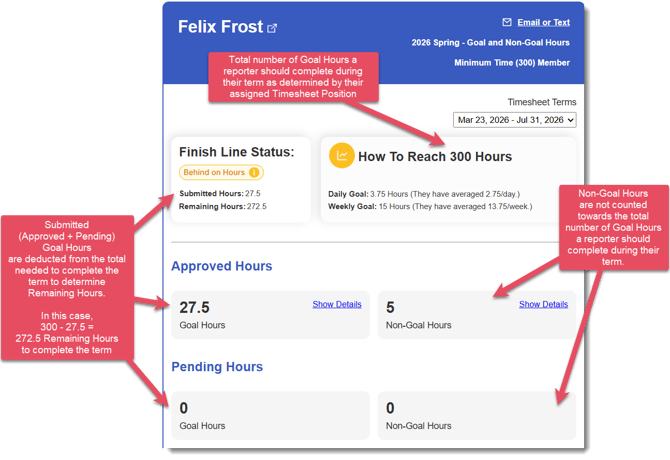
TIP: You can customize the Goal Hours and Non-Goal Hours labels in your Timesheet Template Settings so they align with your program’s language (for example, “AmeriCorps Hours” and “Non-AmeriCorps Hours”).
What are the use cases?
Here are some common ways programs use Non-Goal Hours categories:
- Lunches and Breaks: Many programs have a policy that reporters must take documented lunches and breaks throughout the day, but these mandatory breaks do not count towards their Goal Hours.
Here's how this could look on a timesheet (non-goal category highlighted for this example):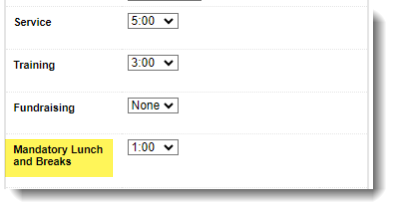
- Teaching Time: In the AmeriCorps space, some teaching programs have teachers splitting time between AmeriCorps teaching time and other teaching time they'd like to document, but that does not count towards their AmeriCorps Service.
Here's how this could look on a timesheet (non-goal category highlighted for this example):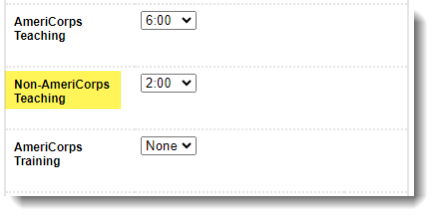
- Vacation Days or PTO: Many programs stipulate that reporters have a set number of PTO days each program year. PTO can be tracked as a non-goal category, where reporters add 8 hours to each day they take off. This category is set to non-goal so that time tracked in that category is counted separately from goal hours.
Here's how this could look on a timesheet (non-goal category highlighted for this example):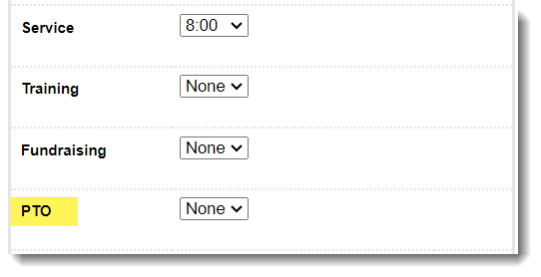
- Other Grant Time or Accreditation Time: There are scenarios where a program is managing multiple grants, and a reporter is serving hours under two different grants at the same time . Non-Goal Categories effectively split those hours, so it's very clear what time was spent within each funding source.
Here's how this could look on a timesheet (non-goal category highlighted for this example):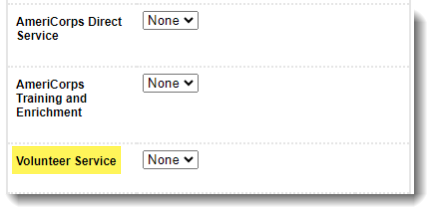
- Accreditation Time: Similar to above, some programs have their reporters gaining an accreditation through and alongside their service. In these scenarios, there are often times activities that are not allowable or counted as goal hours , but the program still needs to track on the reporter timesheet.
Here's how this could look on a timesheet (non-goal category highlighted for this example):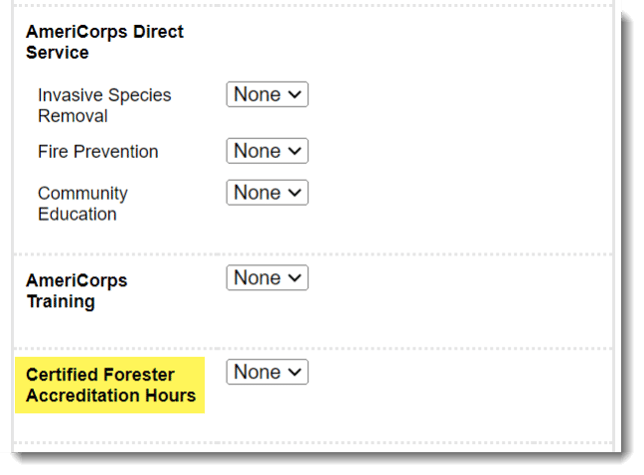
- Paid Time - Some programs pair service with other paid opportunities for their reporters. Since these hours cannot be combined, Non-Goal Categories allow the tracking to be split.
Here's how this could look on a timesheet (non-goal category highlighted for this example):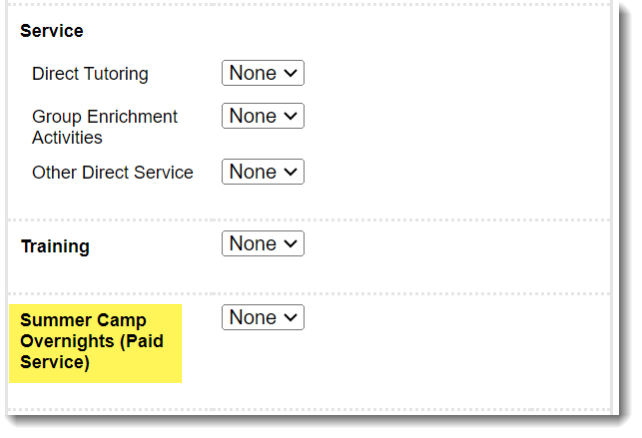
How do I tell them apart?
It's easy to tell these categories apart because they total time in two distinct pots. Here are the three places where Non-Goal Categories will appear.
- When You're Building the Timesheet Template:
In your timesheet category settings, you'll be asked this question to indicate if hours in this category qualify as Goal Hours: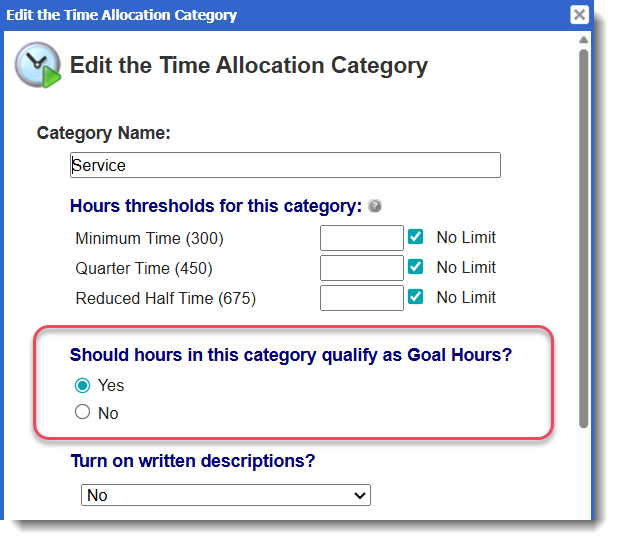
Check out this article for more information on creating and managing categories in your timesheet template.
- In the Reporter Dashboard:
Because you've indicated a category is Non-Goal in the Timesheet Template Settings, it will separate this time from AmeriCorps Time in the Reporter Dashboard, with your customized language around the label. Here's an example with PTO Time used for the hours type label: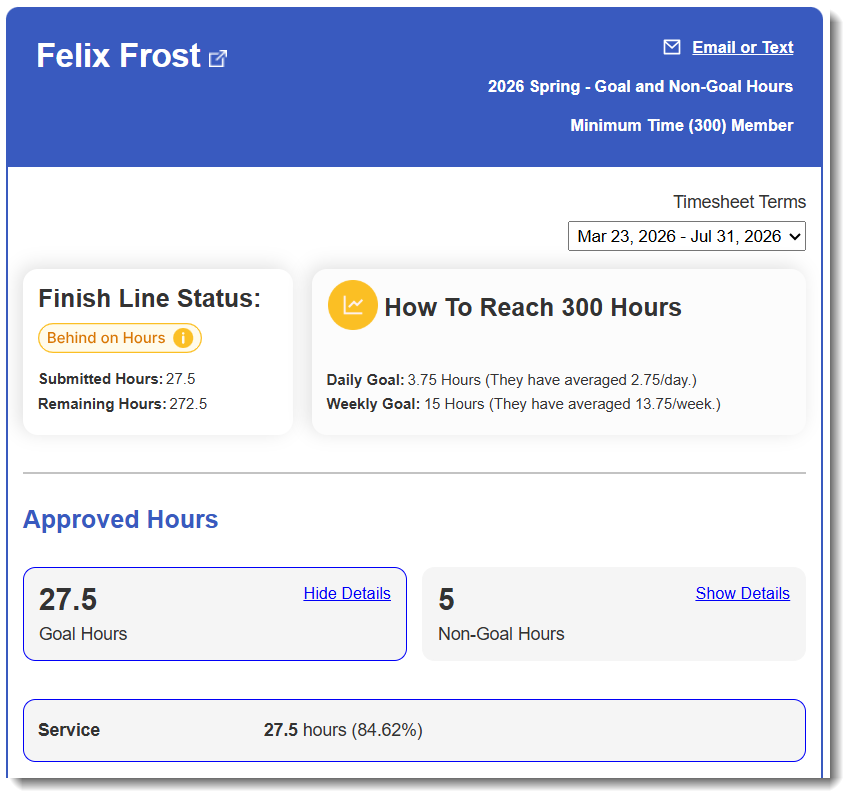
- In the Timesheet
Reporters will see non-goal hours separated in the daily summaries. Here is how it looks from the reporter view: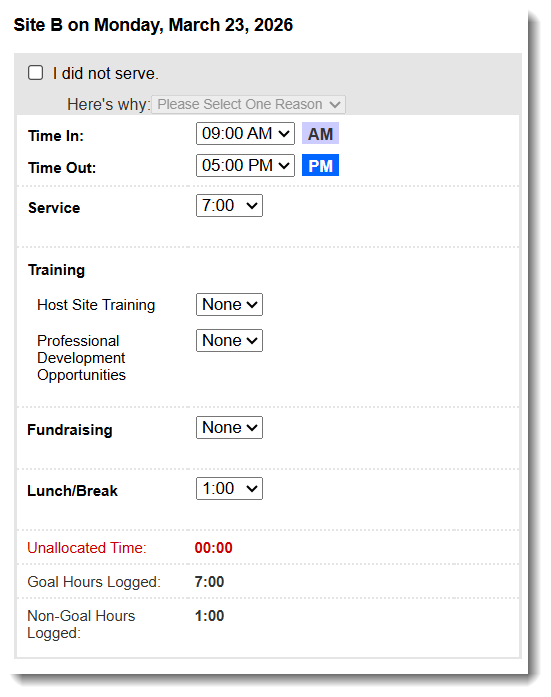
This will appear in the Totals for the Period area of the timesheet where reporters see total time entered before submitting. Here is an example: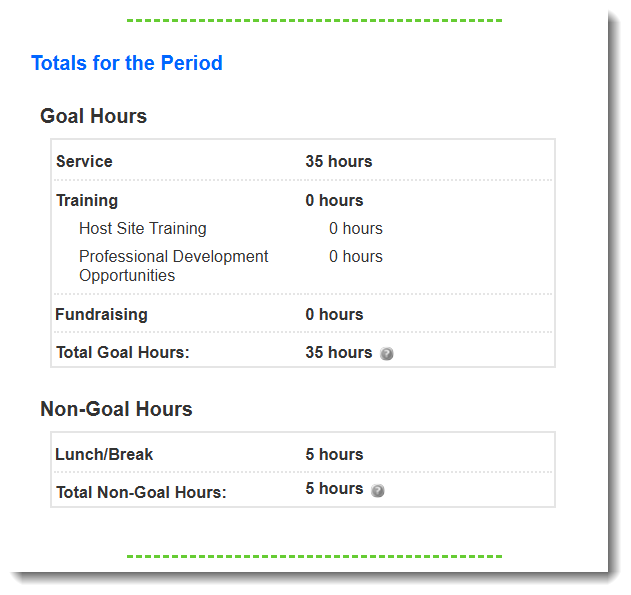
Once submitted, here is how it looks from the Admin view: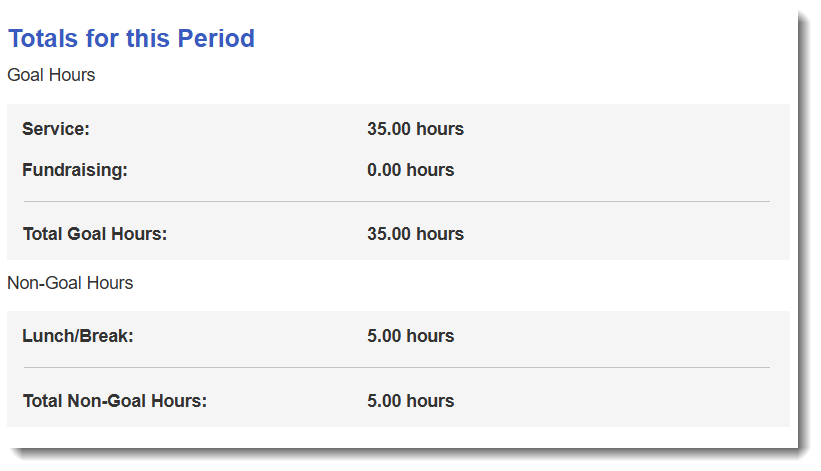
NOTE: For more info on how to set up your timesheet template with Non-Goal Hour categories check out this article.