Updating Survey Submission Email: Send to Manager
- Follow these steps to update the automated survey submission email to send to your manager (main administrator).
- On the left, in your Mission Control, click Communications Portal.
- On the right, use the More drop-down menu and select Customize Messaging.
- Find the message in the Survey panel and click to open the Survey Submissions Notification to Admin.
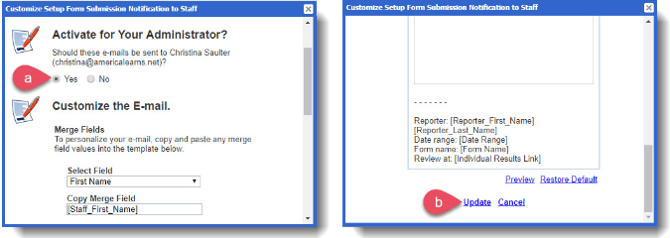
- If your manager (main administrator) should receive these messages, click Yes.
-
- To save your changes click Update.