Updating Community Host Partner Supervisor Accounts
To ensure that your returning Community Host Partner Supervisor accounts are up-to-date, follow these step:
- On the left, in your Mission Control, click Fellows, Staff, & Community Host Sites.
- On the right, click Manage staff accounts.
- Use the More drop-down menu and select Export Staff.
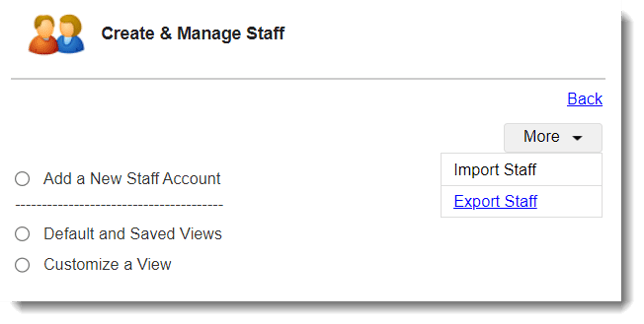
- Next, organize your roster By Staff Name, click Select All, and then click Select Field to Include.
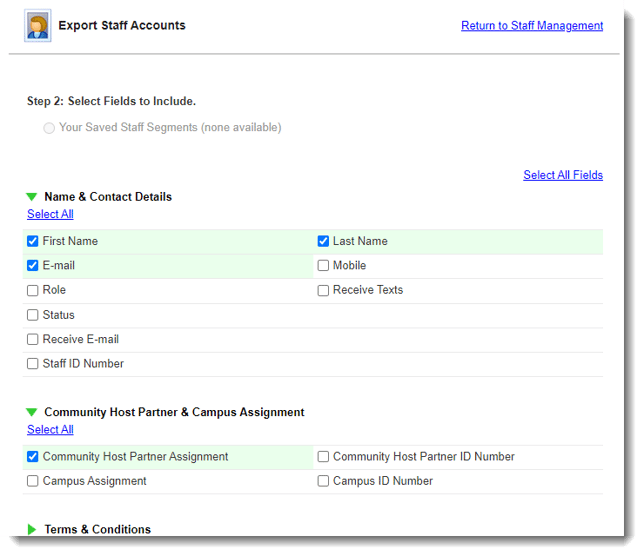
- On the next page, open the panels to select the fields you'd like to review by checking their boxes. (Like, E-mail and Community Host Partner Assignment.)
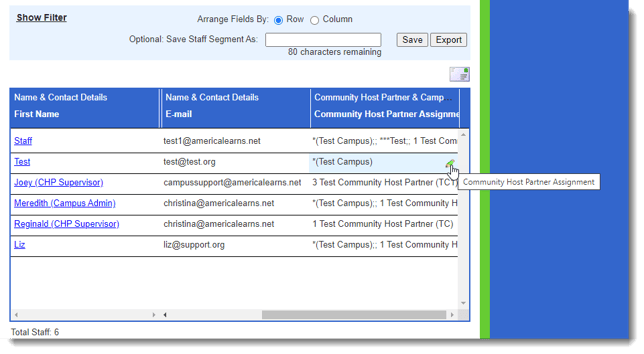
- At the bottom of the page, you'll see a table with the selected fields as columns.
- To update an email address, click on the first or last name. These profiles will open in a new tab. In the profile, use the Edit buttons to make changes.
- To update Community Host Partner Assignments, you can use the 'pencil' icon.