
Follow These Steps:
This step allows the College Corps Team access to critical information about your site.
Begin by logging into the Fellow Impact Suite.
- On the left, in your Mission Control, click Fellows, Staff, & Community Host Partners.
- On the right, under Manage Community Host Partners, select Manage community host partners & campuses.
- Find and select your Community Host Partner name.
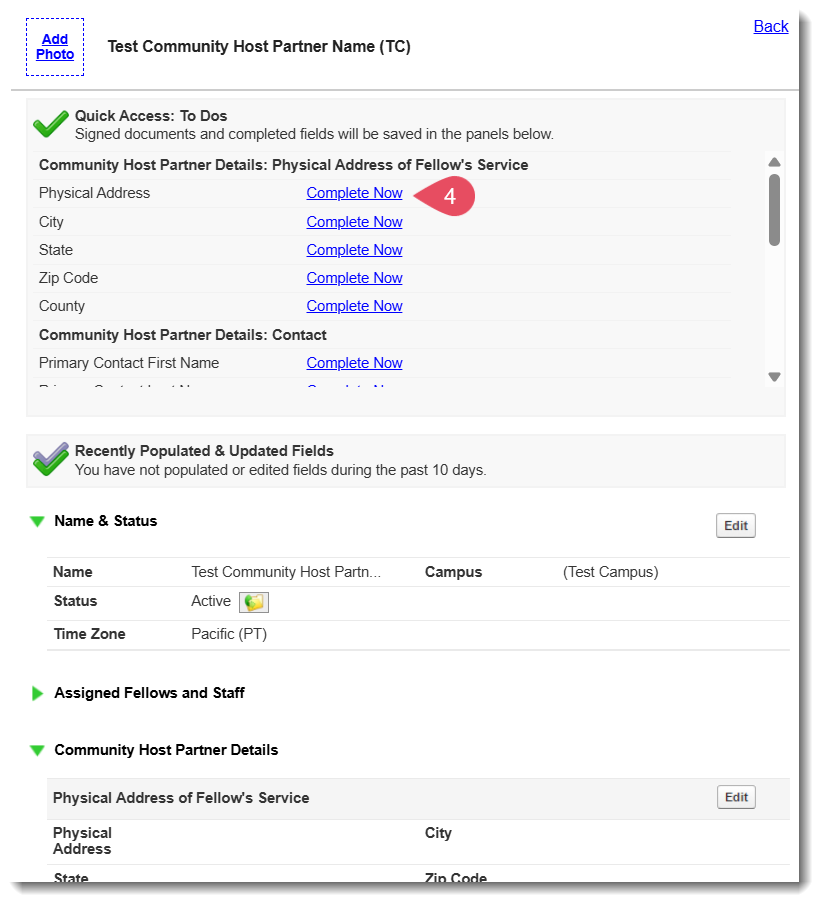
- Complete the profile by selecting the Complete Now links in the Quick Access: To Do menu.
- Once the Quick Access: To Dos are empty, click the Back link.