Understanding The Question Action Buttons

You’ll see at least one of the following action buttons for each question:
| Icon | Name | Function |
 |
Edit Question |
This button takes you to the question editing page. |
 |
Clone Question |
This button allows you to clone the question. |
 |
Change Category |
This button allows you to assign this question to a new category. |
 |
Archive |
For questions that have been included in at least one survey form, this button allows you to choose an archive folder. |
 |
Delete |
Use this button to delete questions that have not yet been used in a survey form.. |
Archiving and Un-archiving
To Archive a question:
- Click on the Archive button:

- A window will open, and you can choose an existing archive folder or create a new one.
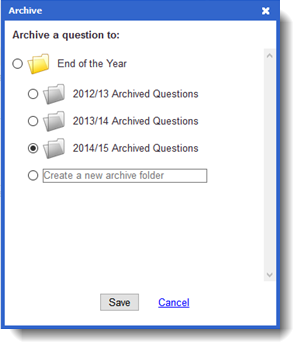
- Click the Save button.
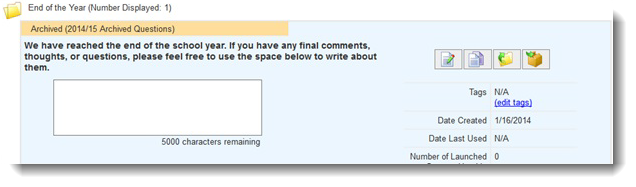
- Once archived, you’ll see a message in an orange header at the top of the question. Like this:
To Un-archive a question or to move a question to a different archive folder:
- Click on the Archive button:

- The archive window will open, and you will return the question to the main folder at the top of the list.

- Click the Save button.
- Once un-archived, you’ll see a message like this: