
Turning on the Ability for Reporters to Connect/Disconnect to/from Identifiers
First, find the Identifier Enrollment, Settings & Instructions Window.
- On the left, in your Mission Control, select Groups.
- Find the section called Manage Groups and use the drop-down to choose the Group you’d like to work on.
- On the top-right, use the More menu to click Identifier Enrollment, Settings & Instructions.
- A window will open.
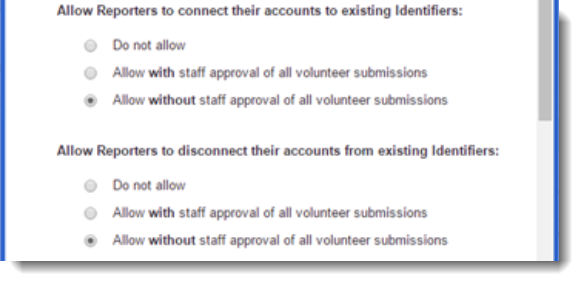
- Now, scroll to the section that looks like this to turn on Connection and/or Disconnection with or without admin approval:
 If you choose to allow reporters to connect, you will see an additional section which allows you to show which Attributes reporters will see when browsing available Identifiers.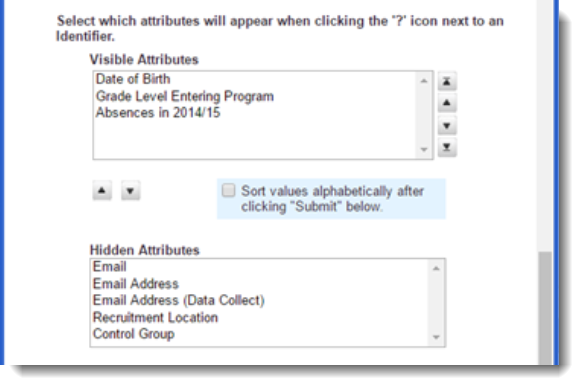
- Click Submit.