
For our most thorough option for tracking teleservice you can use Tool 1 (adding a subcategory) and Tool 2 (additional text field that appears in Audit Trail) together.
To further bolster compliance during this time, you can create new Acceptable Reasons for Not Serving to track site closures, and folks in isolation or quarantine.
Other support articles you might need right now:
- Here's guidance on updating your Acceptable Reasons for Not Serving.
(You might need to add reasons like Quarantined Due to COVID-19 or Site Closed Due to COVID-19) - Here's guidance on Updating the Text In the Signature Area.
(You might want to add additional instructions or clarifications for reporters who are teleserving.) - Here's guidance on Creating Communication Groups.
(You might want to create communication distribution groups so that you can easily email and text folks.)
Tool 1
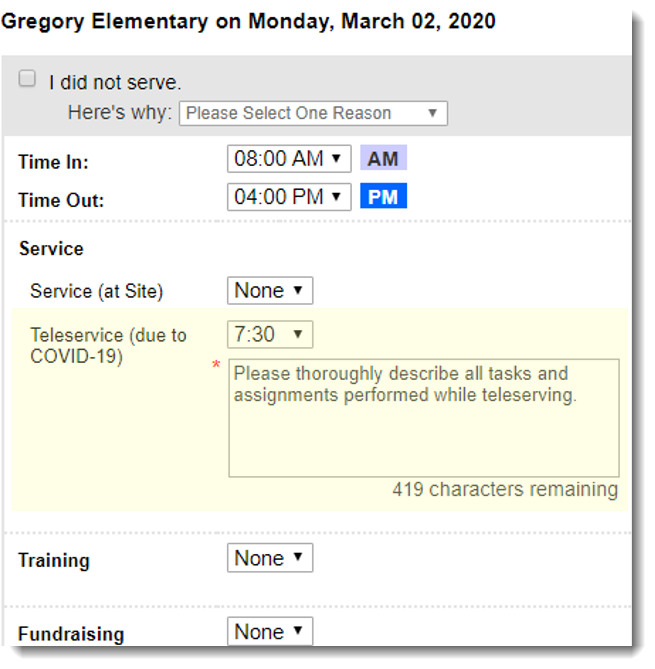
Add a subcategory under your "Service" Category called “Teleservice,” along with a text field in which reporters are prompted to enter additional information, such as details about how they’re staying in touch with their supervisor.
Get guidance on updating categories and subcategories here.
TWO IMPORTANT NOTES:
- If you have no sub-categories under Service (Direct Service), and you want to start tracking Teleservice with a subcategory, you will need to create two categories(see screenshot below):
- Service (on Site) - This will allow reporters to continue to track on-site service, when appropriate.
-
- Teleservice - This will allow reporters to track teleservice time and activities.
- Teleservice - This will allow reporters to track teleservice time and activities.
- If you have sub-categories that will not be relevant you can hide them. This will prevent reporters from accidentally allocating time to them. Get guidance on this here. (Please only do this when you are confident that timesheets with time allocated to subcategories you are hiding will not need to be returned for edits.)
Tool 2
This tool allows you to track how reporters are communicating with their supervisors without tracking specific Teleservice hours. You can use this tool in combination with Tool 1 or on its own.
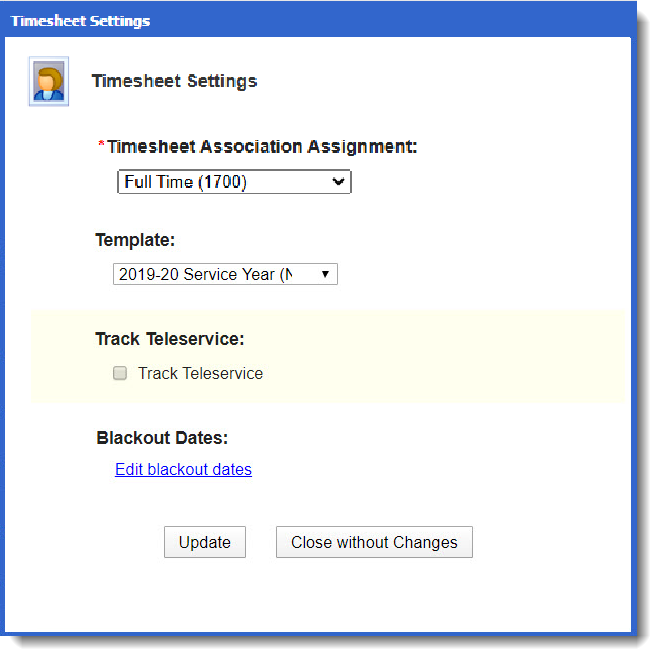
Step 1: Choose which reporters need to track teleservice.
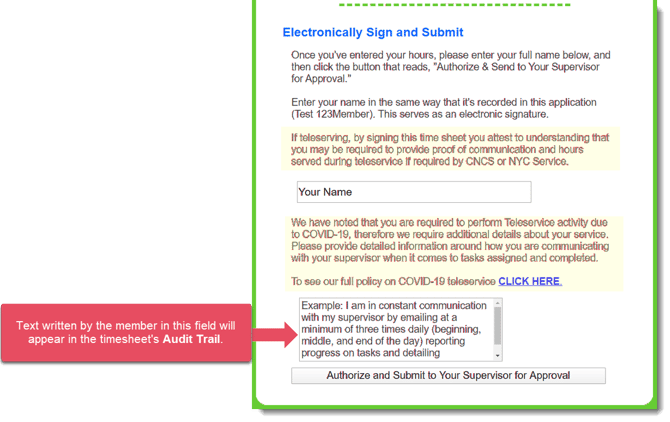
Step 2: Reporters have access to an additional text box into where they write teleservice details.
Take a look: you have full control of the text used in this feature, including the prompt at the bottom of the page where reporters will enter any necessary teleservice-focused info. The highlighted area here is sample text to build on.
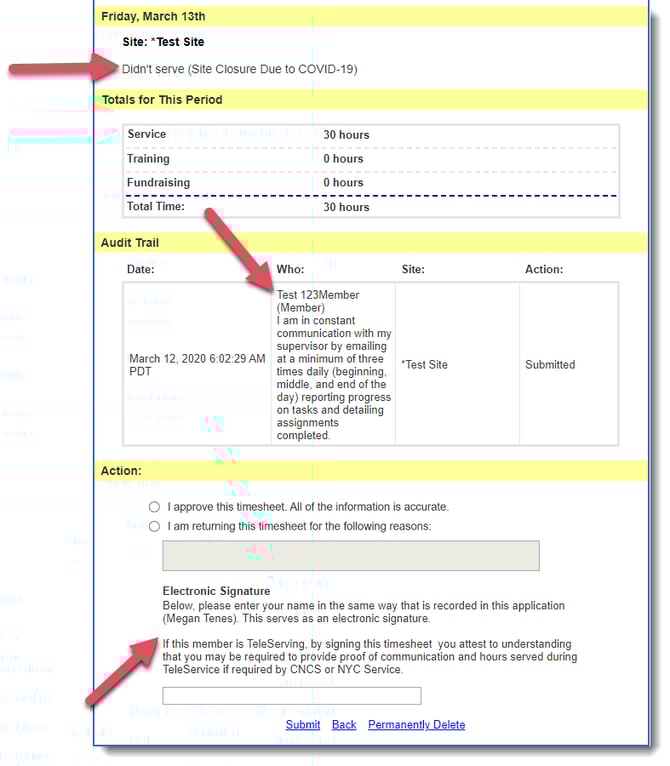
Step 3: Supervisors will see the text written by the reporter in addition to regular time sheet details.
To create a section like this, please complete this form.