
.png?width=205&height=42&name=Back%20to%20Checklist%20(FINAL).png)
Timesheets: Updating Personal Start & End Dates
Head to the Fellow Impact Suite, then:
-
On the left-hand side of your Mission Control, click Fellows, Staff & Community Host Partners.
-
On the right, click Manage fellows accounts.
- Click on the name of the Fellow you would like to update.
- Find the Timesheets Settings panel like the one in the following image:
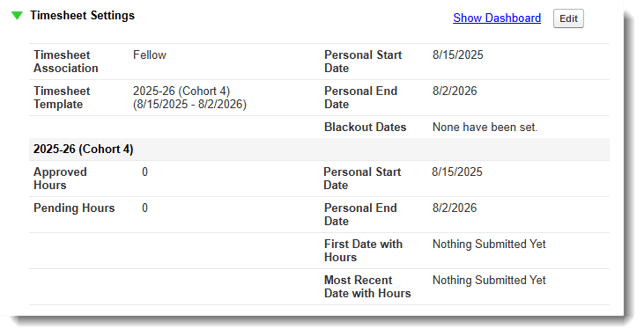
- To make changes to this panel, click the Edit button. This pop-up window will open:
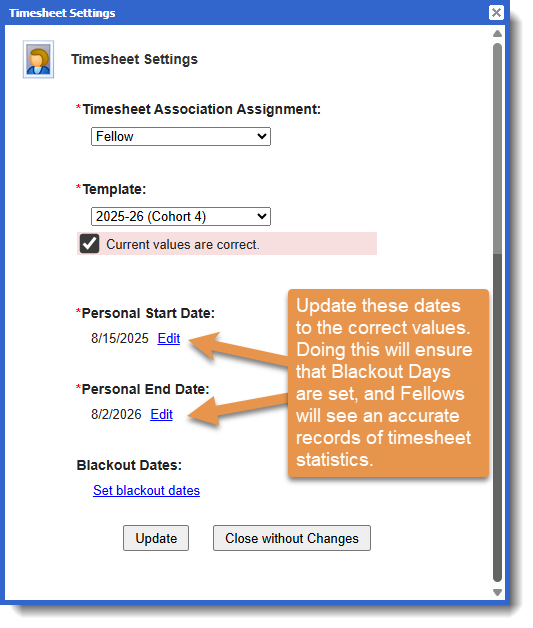
- Click Edit for Personal Start Date and/or Personal End Date.
- Click Update to save your changes.