
Updating Your Timesheet Template Start or End Date
Start & End Dates in your Timesheet Template should reflect the first and last possible date any single reporter may log hours. Check out this article for more information on setting Personal Start and End dates for each individual reporter.
NOTE: Start Dates can be changed up until the day your Timesheet Template launches. End Dates can be changed up until the day your Template’s last timesheet period launches.
To update a template's start or end date, follow these steps:
- On the left, in your Mission Control, click Timesheets.
- On the right, click Create & manage timesheet templates.
- At the bottom, select the template that you’d like to update.
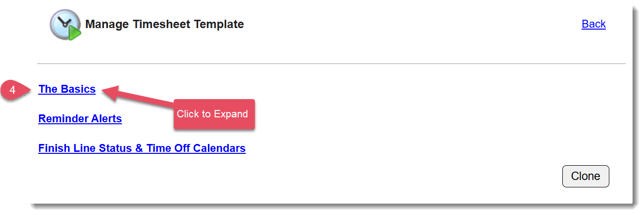
- Expand the section of the template called The Basics.
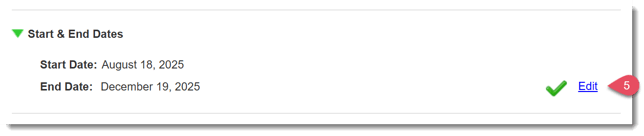
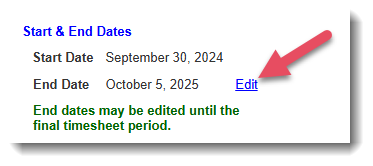
- Locate the panel for Start & End Dates and in the bottom right, click Edit.
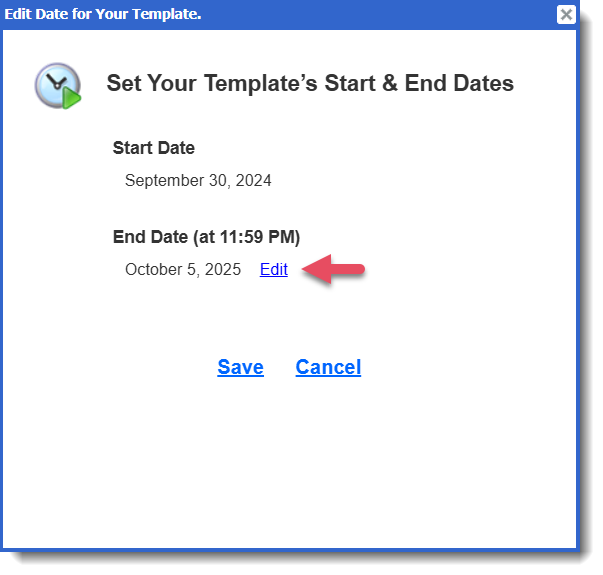
- A window will open, select Edit to update the Start or End Date:
- [If updating End Date AND you have reporters assigned to this timesheet template] Once the date has been updated, you'll have the option to update the Personal End Dates of reporters assigned to this template whose Personal End Date corresponded with the original Template End Date.
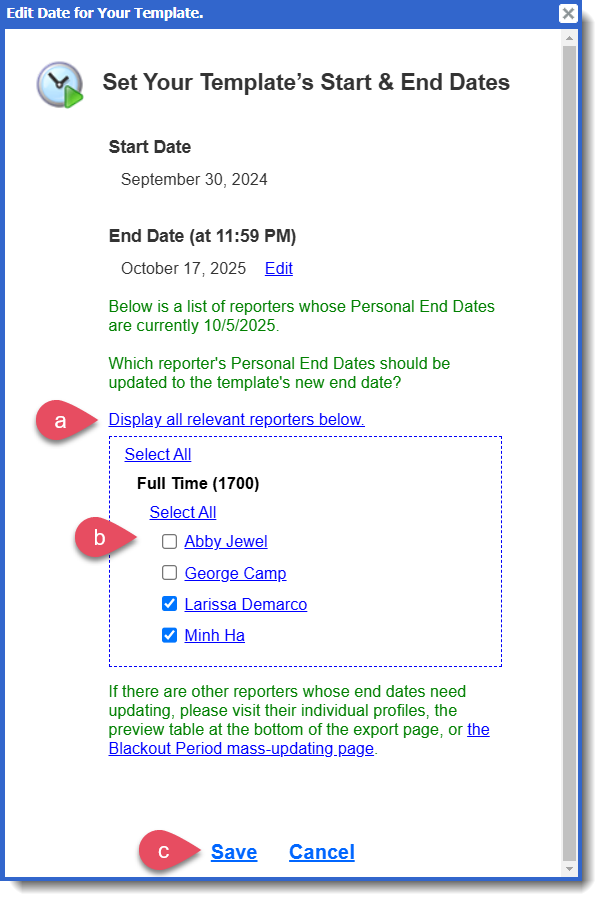
- Select Display all relevant reporters below to see eligible reporters.
- Make the appropriate selections of reporters to reflect the Personal End Date updates you'd like to make.
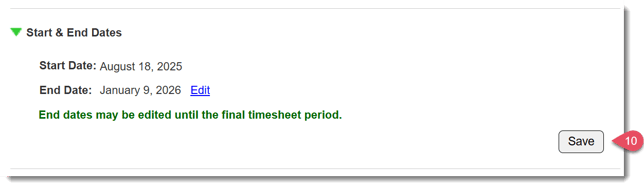
- Click Save in the pop-up window to finish making your updates.
- Select Display all relevant reporters below to see eligible reporters.
- Click Save in the panel.
What If I Can't Edit My Timesheet Template Start or End Date?
Remember that Start Dates can be changed up until the day your Timesheet Template launches. End Dates can be changed up until the day your Template’s last timesheet period launches.
If you are not seeing the option to Edit your Start or End Date, you'll need to reach out to our support desk for assistance.
Please email support@americalearns.net the following information:
- Timesheet Template Name:
- New Timesheet Template Start or End Date:
- (If applicable) List of Reporters who need their Personal End Date to be updated to the new Template End Date: