
Activate ‘None’ (0 Minutes) as the Default Response
To manage existing and to create new time questions, from your Mission Control:
- On the left, in your Mission Control, click Survey Management; and then
- On the right, click Create and manage questions.
-
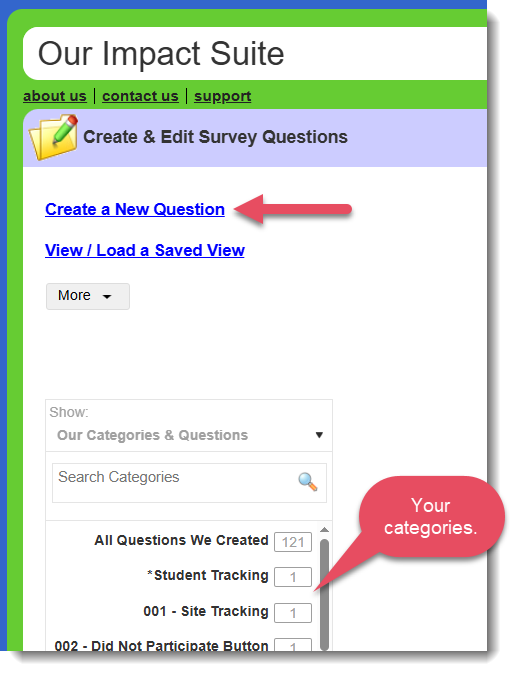
Either select Create a New Question or choose your question from your categories on the left and click the Edit icon (paper with a pencil) – this will open the question for you.
- Once you’ve opened the question, under Question Type select Time Questions or Matrix Questions.
- For Time Questions, find the section called Time Series Answer Choices to activate the new feature:

- For Matrix Questions, find the Section 2: Create and label columns, and locate any Time Questions to activate the new feature:
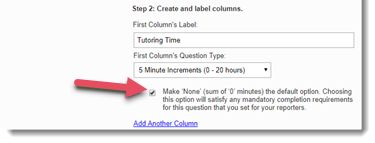
- For Time Questions, find the section called Time Series Answer Choices to activate the new feature:
- Once you’ve activated the feature, click either Create this Question or Edit this Question.