Survey Completion Panel: Modifying Survey Assignments
If your reporter is active you can modify any currently available surveys.
To get to the Survey Completion panel for each reporter:
- On the left, in your Mission Control, click Reporters, Admins, & Sites.
- On the right, click Manage reporter accounts.
- Click on the name of the reporter you would like to review.
- Open the Survey Completion panel.
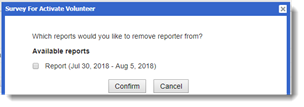
- If the reporter is active and there are currently available surveys, from here you can change these by clicking Modify Survey Assignments.
A window will open: