
(Financial Reporting for Program Admin)
If allowed by your Commission, you can now shift funds between your Grantee Share columns without a formal budget modification.
Here's what you need to know.
Video Resource
Step 1: Shift the Funds
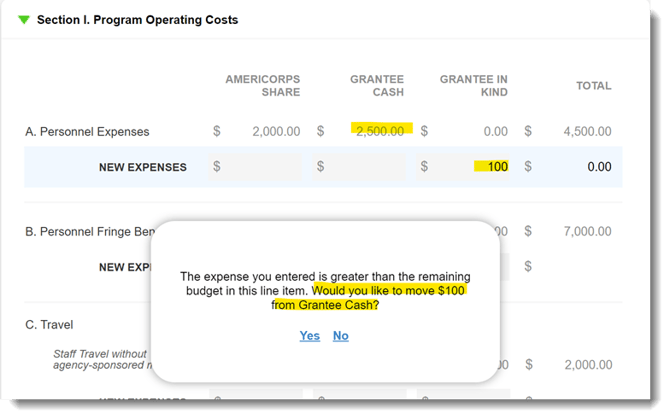
Within expense reports, when you reallocate money from one Grantee Share column to another, you'll see the prompt in the screenshot below.
Once they click the Yes link, the total remaining cash from the column they’re pulling from will be deducted from that column and added to the corresponding column.
In this example, we’re pulling $100 from Grantee Cash and moving it to Grantee In-Kind.
Step 2: The Funds will be Debited
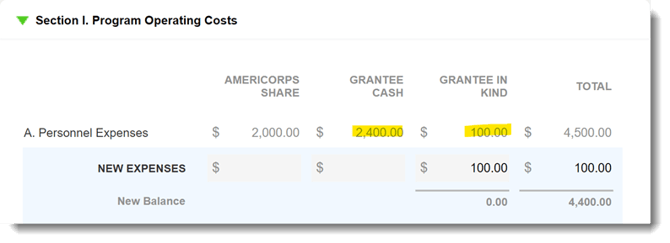
Once Yes is selected in the pop-up illustrated above, $100 will be debited from Grantee Cash and added to Grantee In-Kind. Note that you can adjust these numbers before submitting the report.
 That's it!