
Searching for Sites
Here are the steps for searching for sites:
- On the left, in your Mission Control, click the Reporters, Admins, & Sites.
- On the right side, under Manage Sites & Umbrella, click Manage sites & umbrella.
- From here, you have two options for searching for previously created sites:
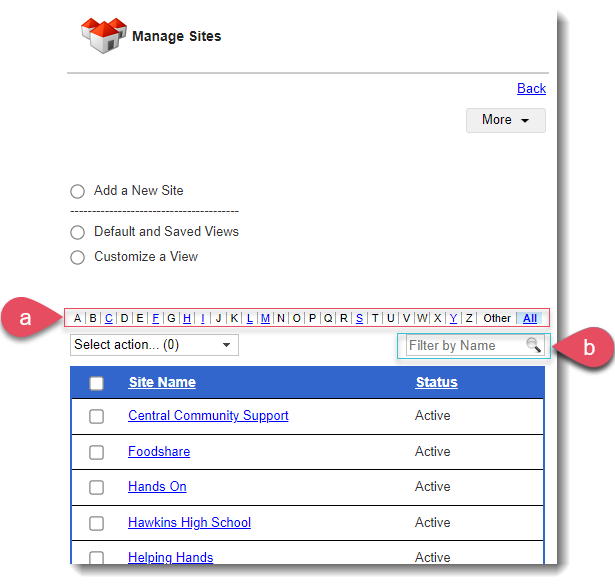
- Alphanumeric search bar:
- Letters for which there is a current site will be blue and underlined.
- Sites beginning with numbers or accepted punctuation will be listed under Other.
- Filter by name field:
- Type a letter, number or series of letters and numbers, click the magnifying glass, and the system will find sites that meet your criteria.
- Alphanumeric search bar: