
Walkthrough
Review and Approve All Timesheets
- In your Mission Control, select Action Center.
- Find and select Fellow timesheets that are not fully approved.
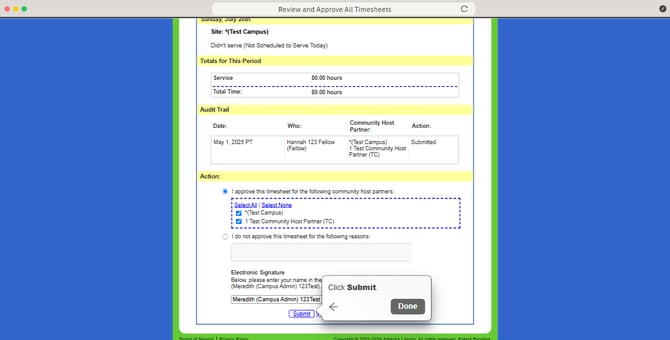
- Review and then select I approve option, then click Select All.
- Sign the timesheet.
- Click Submit.