Restoring (Unarchiving) Reporters
-
On the left, in your Mission Control, click Reporters, Admins, & Sites.
-
On the right, click Manage reporter accounts.
-
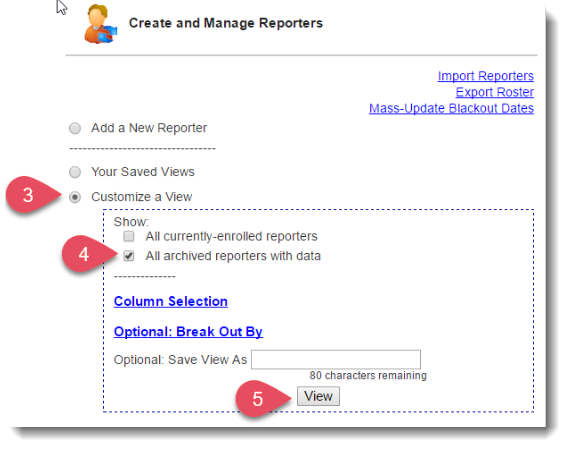
Use the Customize a View section near the top of the page.
-
Select All archived reporters with data and click View.
- Click on the account you wish to unarchive (restore). Their profile will open.
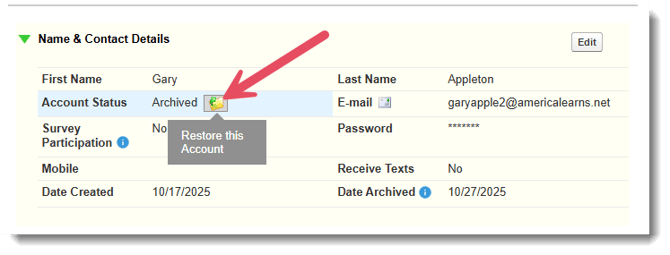
- To restore the account, open the Name & Contact Details panel and click this icon: