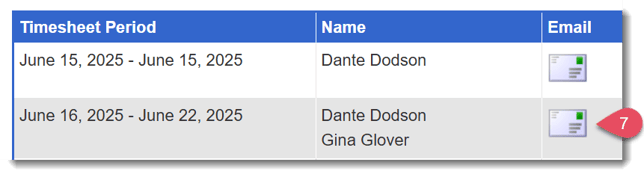
The Reporters Who Need to Submit Timesheets report gives you a quick way to identify and follow up with reporters who have overdue timesheets.
Here’s how to use it:
-
On the left, in your Mission Control, click Timesheets.
-
On the right, select View program-wide data or Site data.
-
On the next page, select the Timesheet Template at issue.
-
At the bottom of the page, select Reporters Who Need to Submit Timesheets.
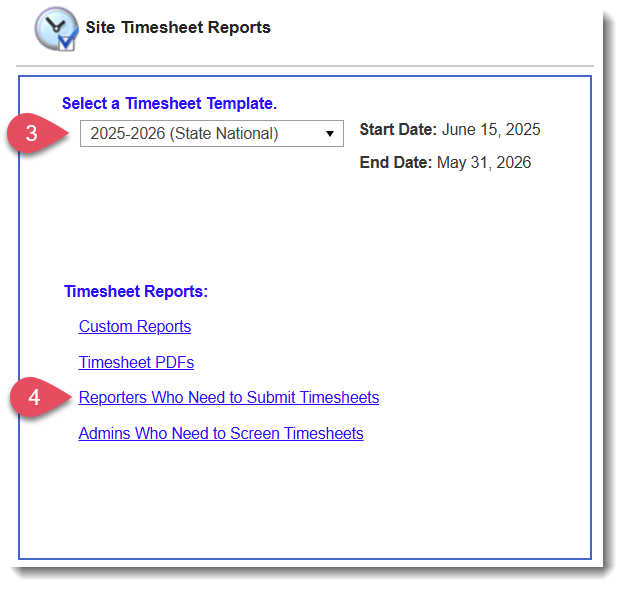
- On the following page, choose one of the following options:
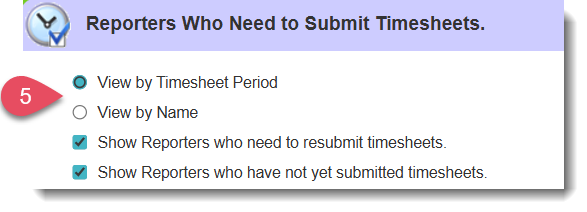
- View by Timesheet Period - This option displays a list of reporters who have not submitted their timesheets, organized by period.
- View by Name - This option displays a list of reporters who have not yet submitted their timesheets, organized by reporter name.
- View by Timesheet Period - This option displays a list of reporters who have not submitted their timesheets, organized by period.
- Once you complete Step 5, you’ll notice that two checkboxes appear:
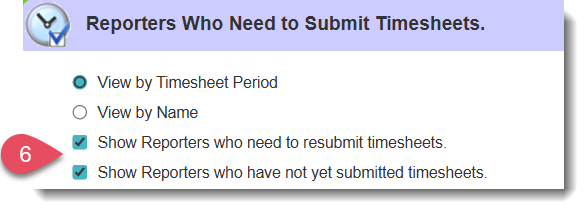
Use these checkboxes to view reporters who have not submitted any timesheets for a given period, reporters who have not resubmitted timesheets that were returned to them, or both. - Note that each option gives you the ability to send individual or mass emails or text messages to the reporters who are listed.