
Viewing Completion Rates: Reporter Panel
The Survey Completion Rate panel contains the survey completion details for the reporter. Use this section to track both current and historical survey completion rates.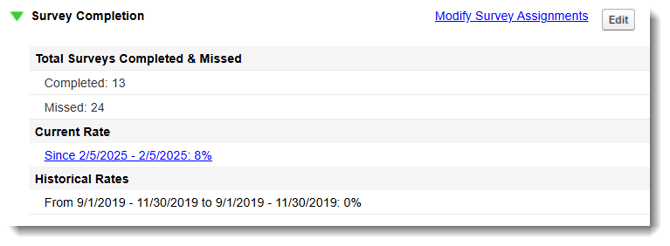
- On the left, in your Mission Control, click Reporters, Admins, & Sites.
- On the right, click Manage reporter accounts.
- Click the relevant reporter’s name.
- Open the Survey Completion panel.
- To make changes to this panel, click Edit.
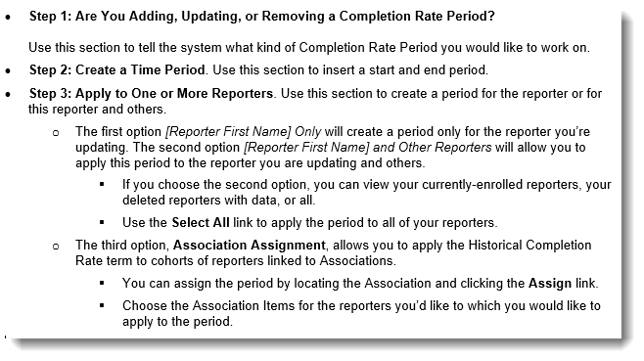
- Click the Update or Close without Changes button