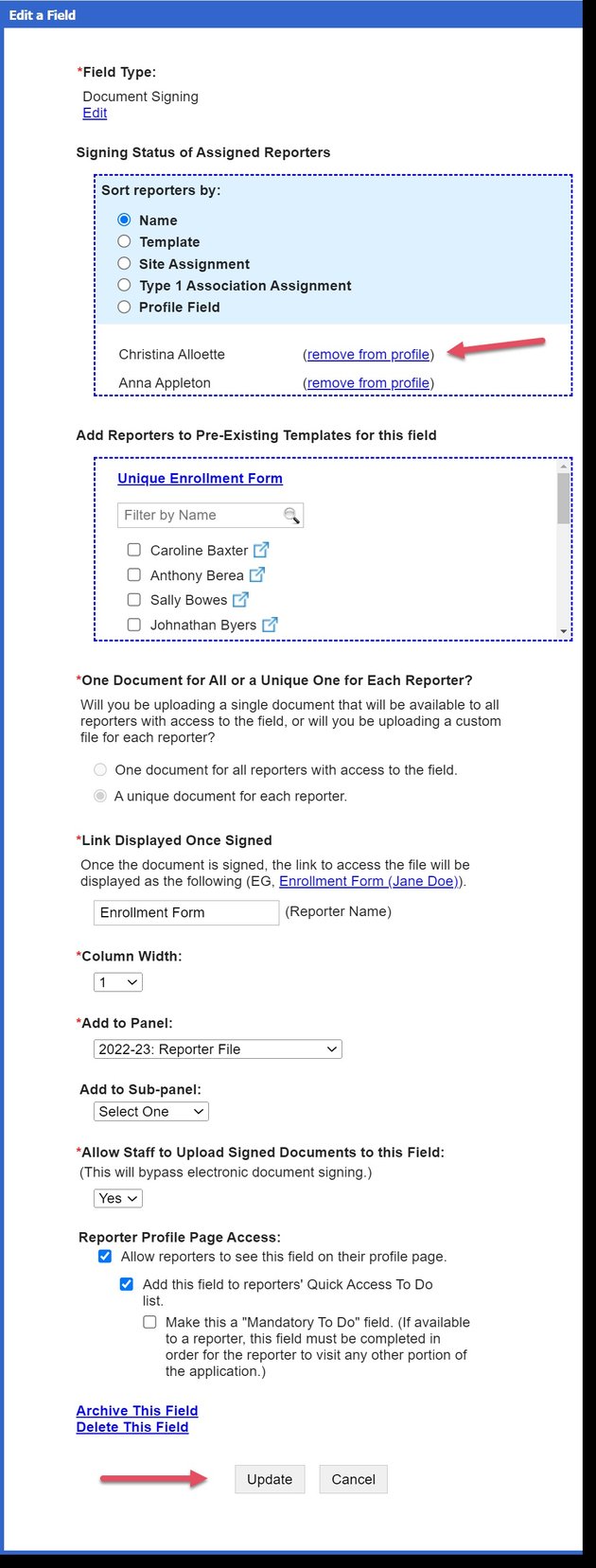
Removing a Targeted Document from an Individual
- On the left, in your Mission Control, click Reporters, Admin, & Sites.
- On the right, click Manage reporter accounts.
- Use the More drop-down menu and select Manage Fields and Profile Layout.
- Select the field with the targets document. (in this example, we are using the field titled Enrollment Form)

- In the box under Signing Status of Assigned Reporters, find the reporter and click “remove from profile next to the reporter’s name.
- Click Update.