
Steps to Permanently Delete an Individual’s Responses
-
Follow the steps to access survey data for an individual.
-
Select the survey you’d like to delete by clicking on the graph icon on the far-right.
-
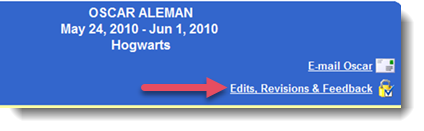
Towards the top-right hand side of the report, click Edits, Revisions & Feedback.
-
In the window that’s displayed, click “I want to permanently delete the data in this survey.”
Special Options if the Survey is still Active
You’ll be presented with an option to send an immediate e-mail to the person at issue that will ask the person to resubmit the survey.
Special Options if the Survey has Closed
You’ll be presented with an option of re-opening it for all individuals who have not yet completed it. Note that this creates a new deadline date for the survey.
If you choose to re-open it, you’ll also have an opportunity to send an immediate e-mail to the person at issue that will ask the person to resubmit it.
IMPORTANT: If you ask somebody to resubmit a survey, be sure that the person's account is marked as "Active". The Impact Suite will let you know if the person at issue is not currently "Active".