
(Financial Reporting for Program Admin)
Submitting Your Budget
Some State Commissions will enter budgets for programs. Please consult with your Program Officer before completing and submitting a budget.
Designated admin reporters with responsibilities for submitting financial reports for your program will be able to submit a budget when it's time.
Here’s how to submit a budget:
- From the left, click Financial Reporting.
- On the right, towards the bottom of the page, you’ll see the section, Submit & Update Expense Reports.
Click Submit Your Budget.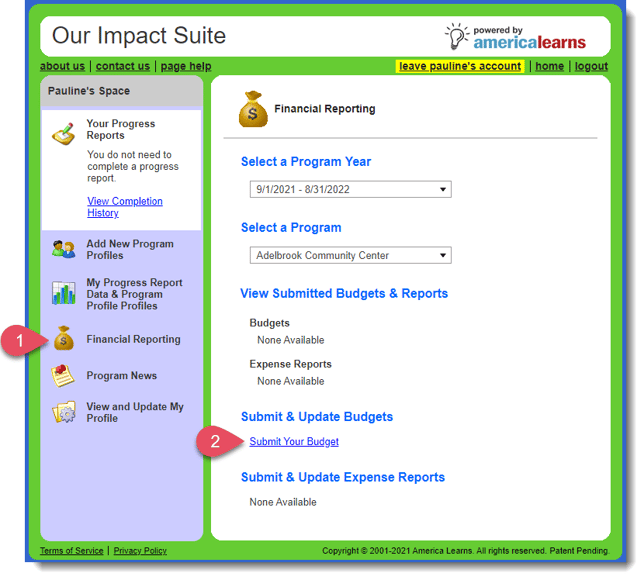
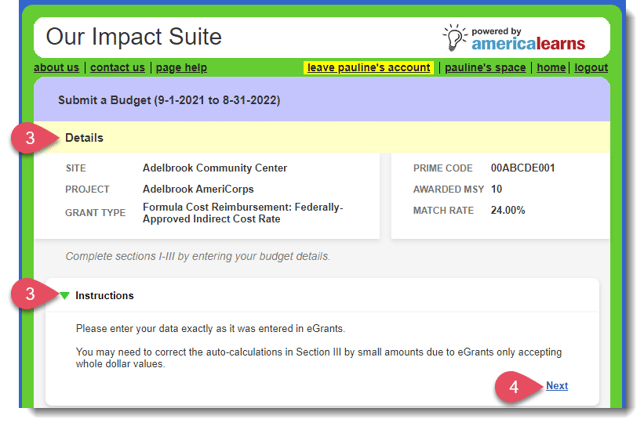
- Review the details of your award and pay close attention to the instructions. Click Next to begin.
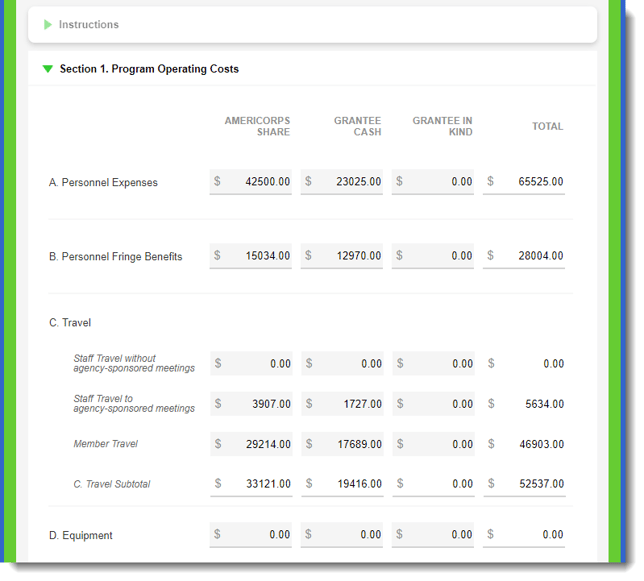
- Enter all of the data as required by your State Commission.
- To save your budget and return to complete it later, click the Save Draft button.
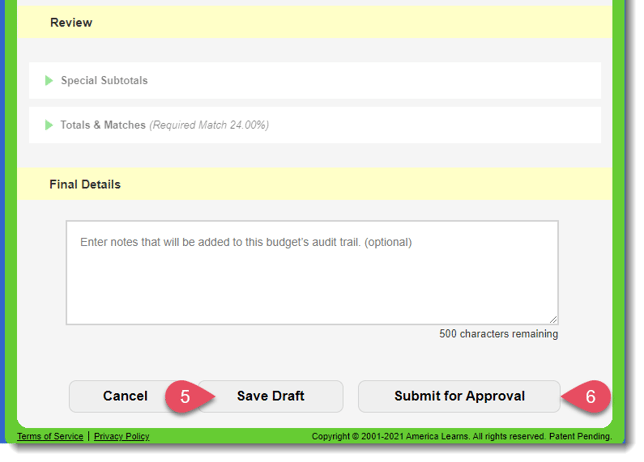
- To submit your completed budget, click Submit for Approval.
This will trigger an instant notification to your State Commission. - Please wait for this confirmation message before navigating away from your account.
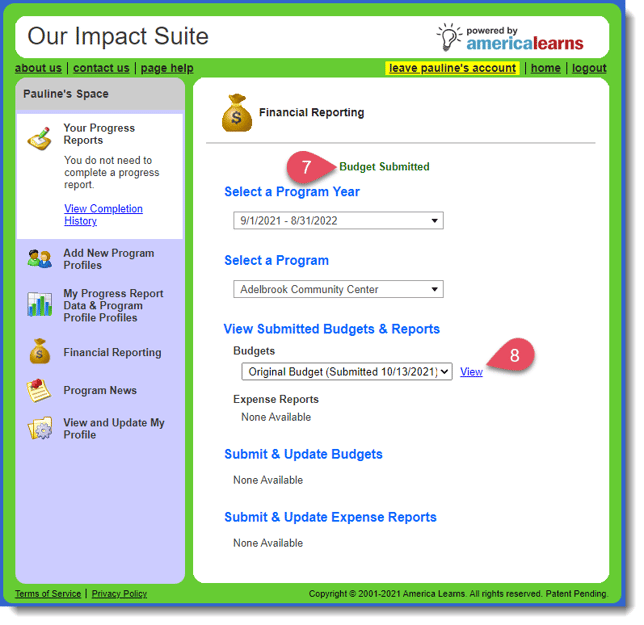
- You can view your submitted budgets at any time by clicking View.
- If your budget needs edits or if it's approved you'll receive an email notification from your State Commission.