The Options Bar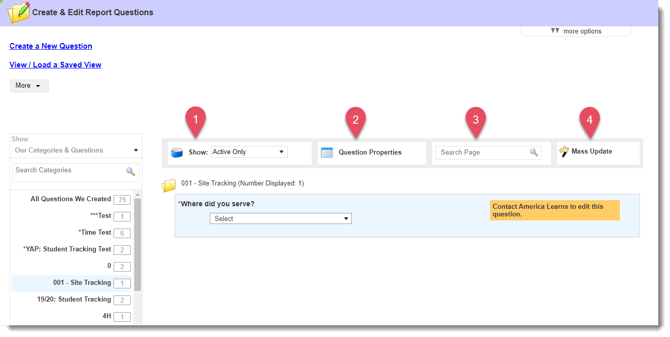
The Options Bar is made up of four tools:
1. The “Show” Tool
By default, the page will only display currently-active questions. Use this tool to see archived questions as well.
2. Question Properties
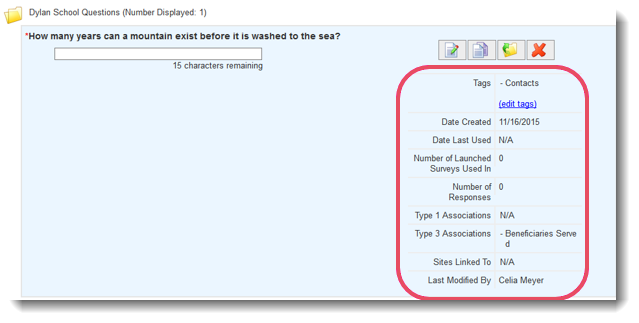
Use this tool to display relevant information alongside the questions you’re reviewing. Instantly view information ranging from the number of times a question was used in a survey to which Associations the question is connected to. Explore this tool to see which properties are most helpful for you and consider creating a view with these properties so that you won’t have to frequently check the options in this tool.
3. Search Page
Enter a keyword or term to narrow the list of questions you’re displaying.
4. Mass Update
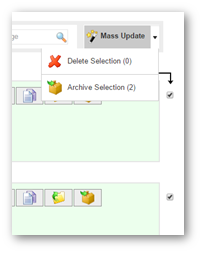
This option gives you the ability to delete or archive multiple questions at once.
Simply click the Mass Update button, select the questions you’d like to update, and then click the arrow to the right of the Mass Update button to select whether you’d like to delete or archive the selected questions.