
Skip to content
English
  • There are no suggestions because the search field is empty.

Mission Control Overview


Using your Mission Control

Follow these steps to enter your Mission Control:

  1. Go to your America Learns home page.

  2. Enter your username and password to login.

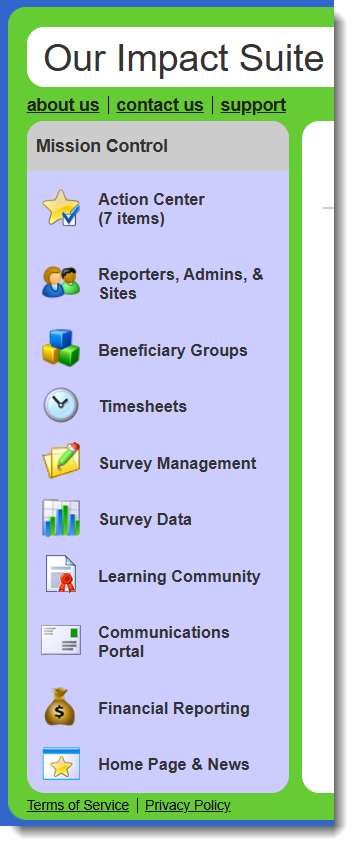
  3. The Mission Control will be on your left.
MPfVHUlw4fuRJwn3At5lf5IzkbuFHLim7Q


You’ll spend most of your time interacting with the Impact Suite via your Mission Control, which allows you to:

Mission Control Link Actions Within Link
Action Center
  • Review reporter profiles
  • Sign documents
  • Screen timesheets
  • View and edit surveys
  • Screen identifier enrollment, connection, and disconnection requests
Reporters, Admins & Sites
  • Manage reporters
  • Manage admins
  • Manage sites (and umbrellas if enabled)
Groups
  • Manage your groups and identifiers
Timesheets
  • Manage timesheet positions
  • Create & manage timesheet templates
  • View & screen submitted timesheets
  • Export and view timesheet data
Survey Management
  • Create and manage questions
  • Create and manage forms
  • Create and manage launches
Survey Data
  • View and export survey data
  • View survey completion tracker
Learning Community
  • Access libraries
  • Manage strategies
  • Manage goals & challenges
Communications Portal
  • Communicate with your users (reporters and admins) and identifiers (if enabled) via email or text message
  • Customize automated messages
Financial Reporting
  • Create and manage program years and prime codes
  • Create and manage budgets
  • Create and manage expense reports
Home Page & News
  • Update home page image
  • Update news box
  • Update about us