Walkthrough
Mark your Fellow as early exit
This prevents Fellows no longer participating from receiving communications or being included in certain reports. It does not permanently delete their data.
Begin by logging into the Fellow Impact Suite.
- On the left, in your Mission Control, click Fellows, Staff, & Community Host Sites.
- On the right, under Manage Fellows, select Manage fellow accounts.
- Click on the name of the Fellow you wish to archive.
- Open the panel called Fellow Details - Cohort 4.
Note: You may see one or more panels with a Cohort #, depending on how many years your Fellow has participated in, so be sure you select the CURRENT cohort year's panel.
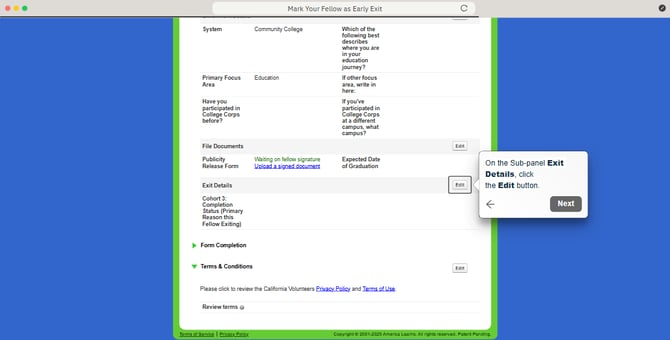
On the sub-panel called Exit Details, click the Edit button.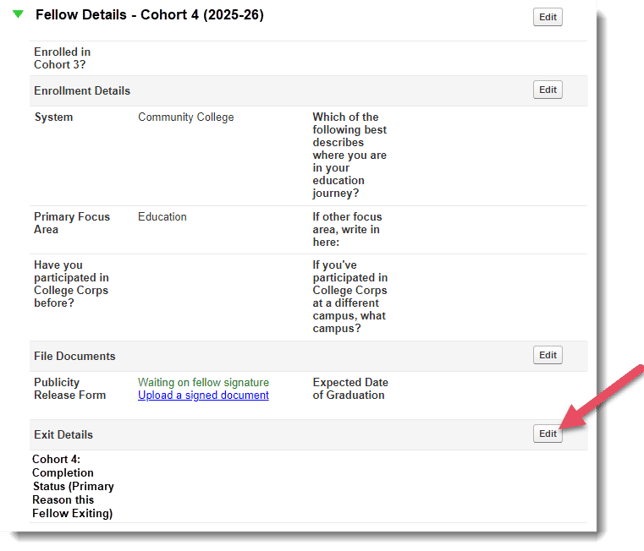
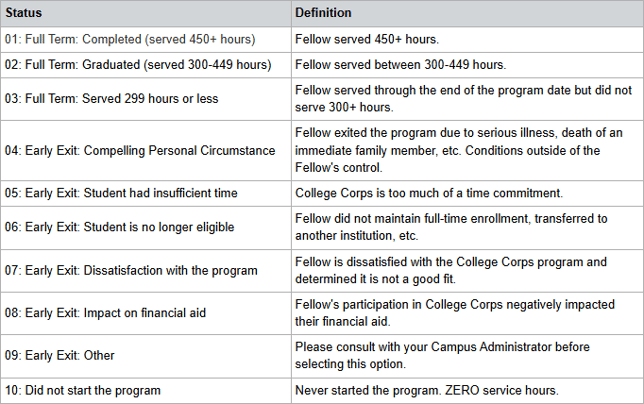
- In the pop-up window, change the Cohort 4: Completion Status (Primary Reason this Fellow is Exiting) by selecting why the Fellow is exiting early and clicking Update.
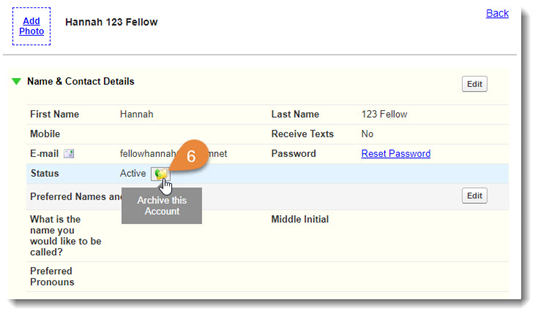
- Scroll up to the Name & Contact Details panel. Hover over the Status icon and select Archive this Account.