
Limiting Field Visibility by Admin Role
There may be times you'll need to limit who can see a field. For example, you may not want your "Site Supervisors" to see a w4 or I9 for your reporter.
- On the left, in your Mission Control, click Reporters, Admins, & Sites.
- On the right, click Manage reporter accounts.
- On the right, use the More drop-down menu and select Manage Fields and Profile Layout.
- Click on the name of the field you'd like to update.
- A window will open:
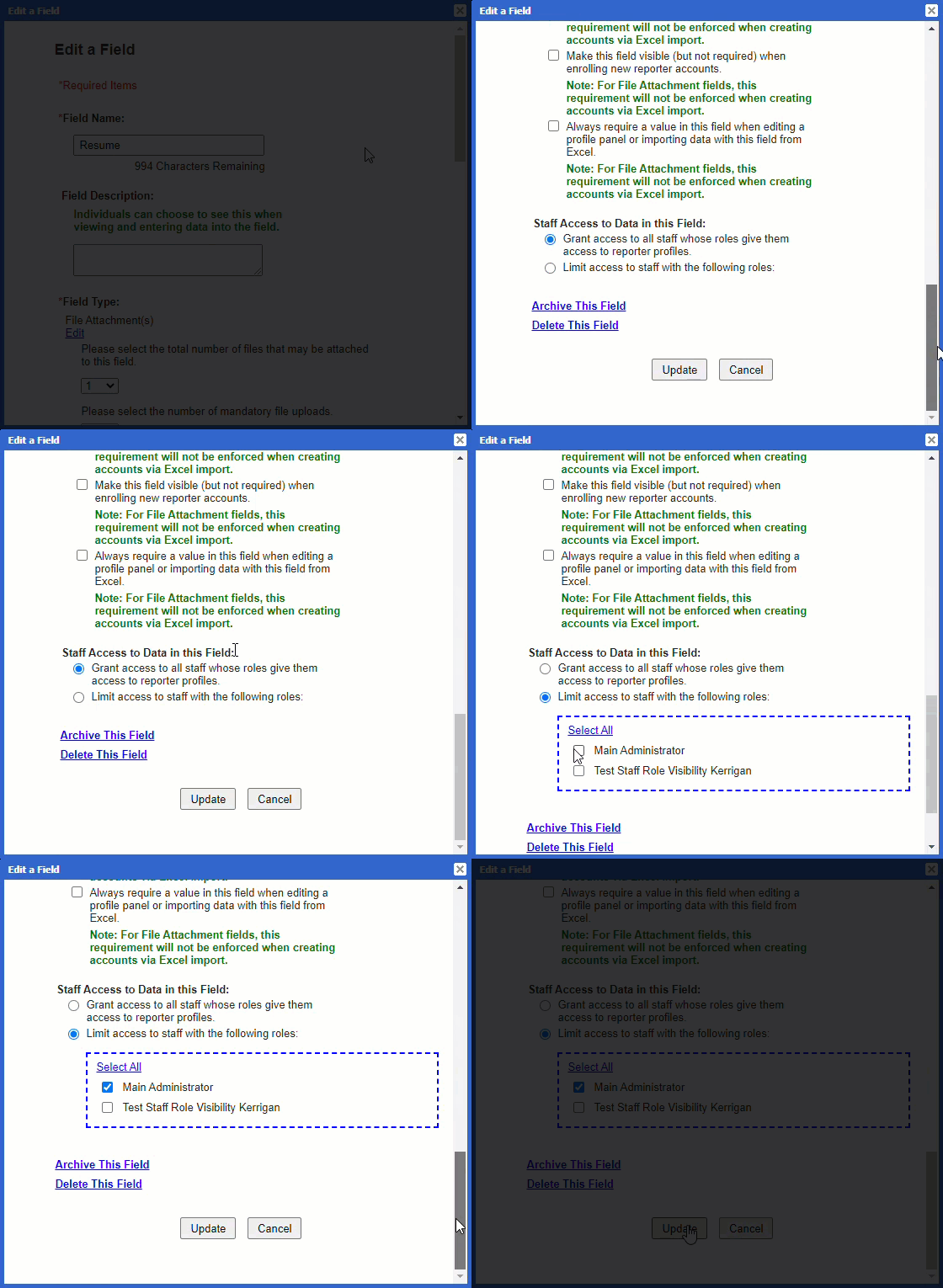
- Decide which admin reporters should have access to the data in this field. Choose either:
- Grant access to all admin whose roles give them access to reporter profiles, or
- Limit access to admin with selected admin roles.
- Click Update.