
Individual Data Viewing (Reporter Profile)
Follow these steps to access a reporters’ survey data from their profile:
- On the left, in your Mission Control, click Reporters, Admins, & Sites.
- On the right, click Manage reporter accounts.
- In the table, choose the reporter with data you’d like to review.
- Open the Survey Completion panel.
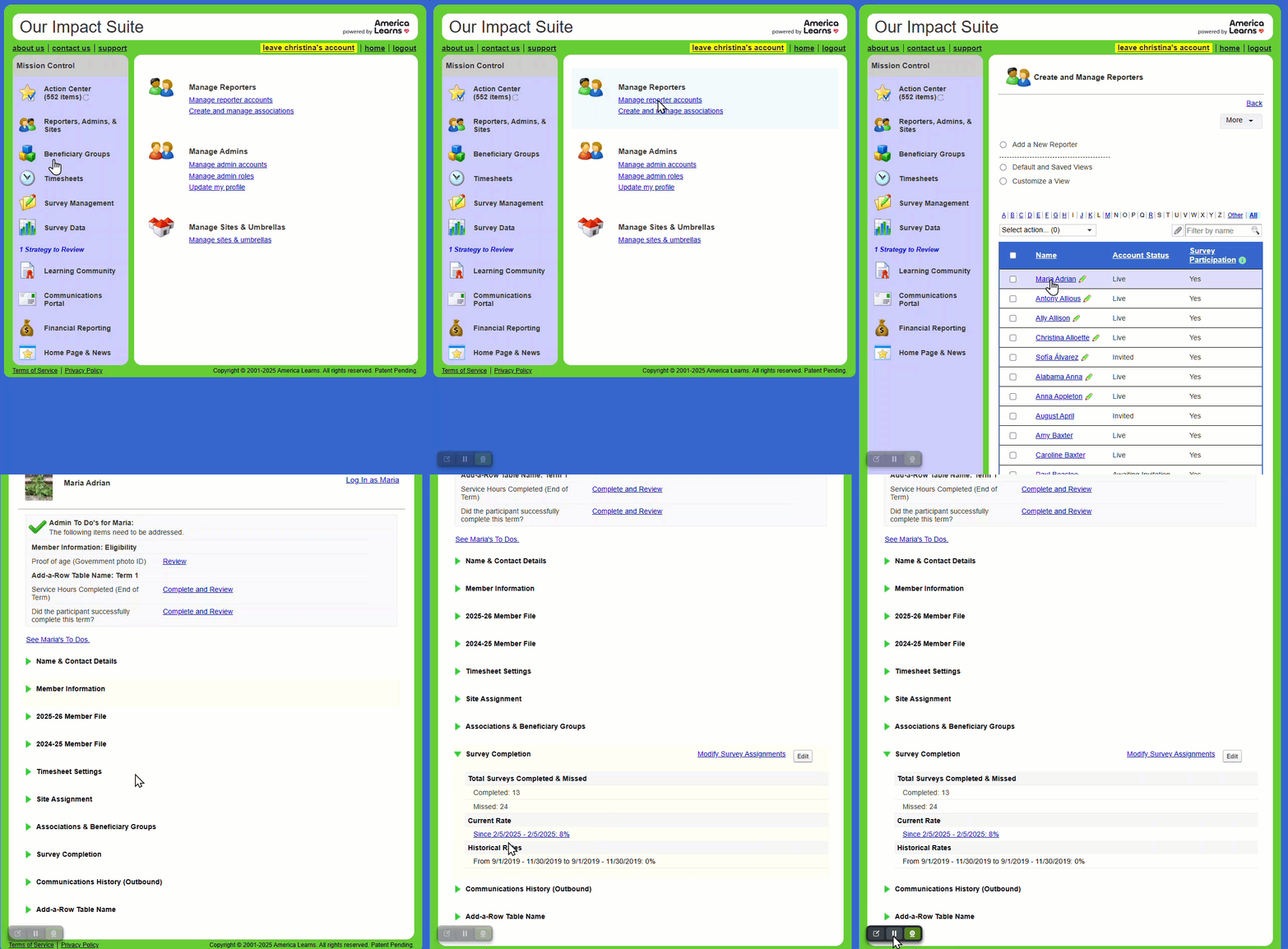
- Click on the Current Rate hyperlink to open reporters’ survey history page.