Impersonating/Logging in as one of Your Reporters
If you have the permission to impersonate/login as a reporter you can do this by:
- On the left-hand side of your Mission Control, click Reporters, Admins, & Sites.
- On the right, click Manage reporter accounts.
- Click the name of the reporter you would like to impersonate.
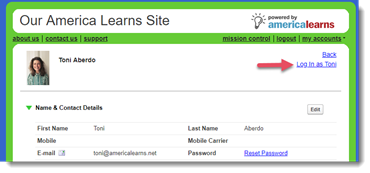
- On the upper right, click the Log In as [First Name] link.
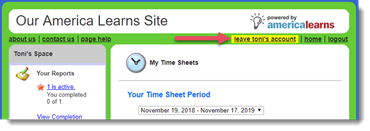
- To return to your account click the leave [first name’s] account link.