
Access Timesheets From Reporter's Timesheet Dashboard
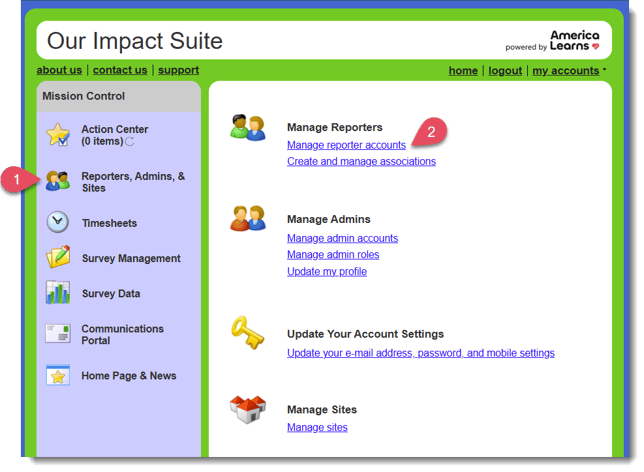
- From Mission Control on your left, select Reporters, Admins, & Sites.
- At the top, select Manage reporter accounts.
- Select the name of the reporter whose timesheets you'd like to screen.
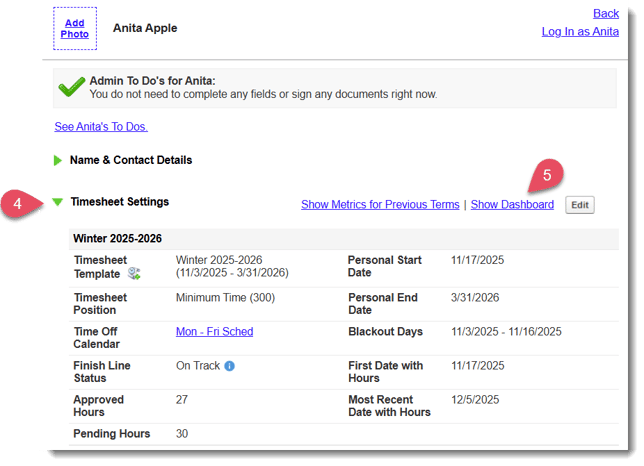
- Scroll to the panel labeled Timesheet Settings and open the panel using the green carrot on the left.
- On the right, select the blue hyperlink labeled Show Dashboard.
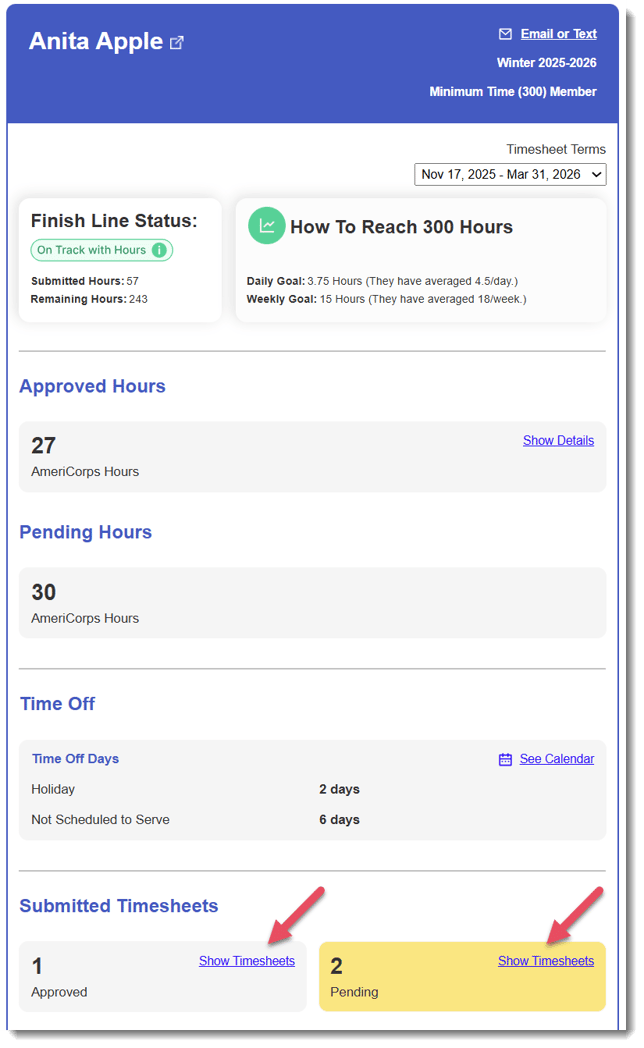
- A new window will open with this reporter's timesheet information. Scroll to the area labeled Submitted Timesheets and select a timesheet under either the Approved or Pending section that you'd like to screen.
- View, approve, or reject that timesheet, and return to the reporter's Timesheet Dashboard to continue screening other timesheets as needed!