At times clients might need us to merge Group Identifiers. Here are the steps for making that happen.
Rules: What happens when you merge identifier profiles
- Vocabulary
- There will be two types of identifiers:
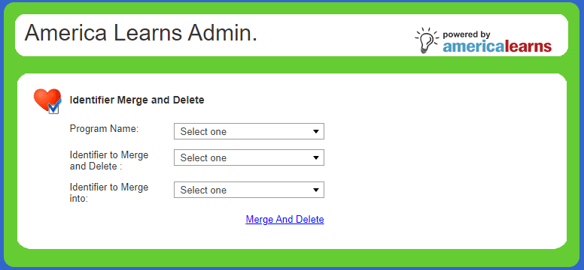
- To Keep Identifier (Identifier to Merge Into) - This is the identifier that will NOT be deleted
- To Delete Identifier (Identifier to Merge and Delete) - This is the identifier that WILL BE DELETED and merged to the To Keep Identifier
- There will be two types of identifiers:
- Assignment History
- The To Keep Identifier will maintain all volunteer assignments (Assigned To and Previous Assignments)
- Conversely, the To Delete Identifier's assignment history will not be included in the To Keep Identifier profile once merged.
- Report (Survey) History
- The To Delete Identifier's report history WILL be merged to the To Keep Identifier.
- Profile Data Rules
- The To Keep Identifier's profile is maintained after the merge
- The To Delete Identifier's profile is deleted
- If there is critical profile data in the TO DELETE IDENTIFIER, you will need to export before merging and import this data after merging (see steps and best practices below - CRITICAL PROFILE DATA THAT MIGHT BE LOST)
What you need to know from the client
You will need to a list of identifiers to merge, and the client will need to indicate which identifier should be the MASTER and which should be deleted.
Example (from FoodCorps): 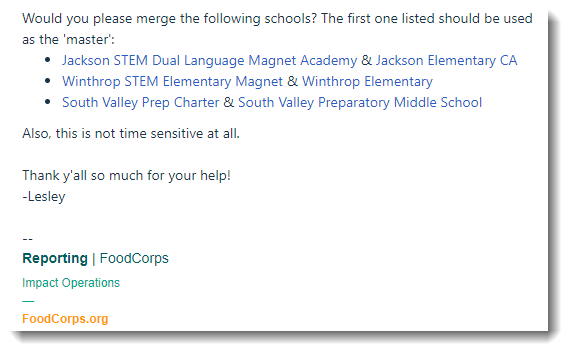
Video resource
Step-by-step guidance
Steps to do the merge:
- Log in to the VPN using the Google Authenticator.
- Access the merging tool: http://10.90.0.30/index.cfm?event=associationsecond.allprogram
- Access the data sent by the client (which identifier should be the MASTER and which should be deleted).
- Enter the info into the tool.
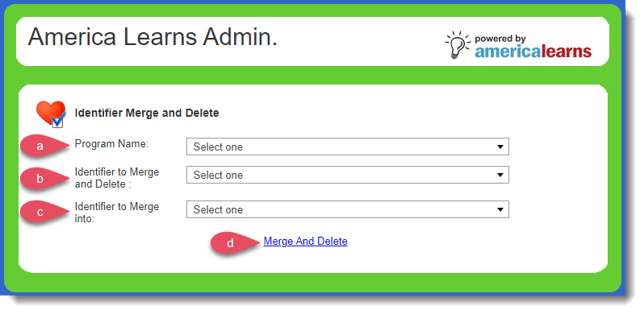
- Enter the Program Name
- Enter the identifier TO BE DELETED
- Enter the MASTER to merge data to
- Click Merge and Delete.
- The process can take seconds to several minutes, so, be patient.
- You will get a pop-up describing the actions taken in the database. Click Okay. Move on to the next identifier.
- Don't forget to let the client know when you're done. :)
CRITICAL PROFILE DATA THAT MIGHT BE LOST
Profile data from the To Delete Identifier will be lost after the merge. Some best practices to ensure all essential data gets transferred to the To Keep Identifier:
- BEFORE performing the merge, do a full profile export of the identifiers you plan to merge
- AFTER performing the merge, you can use the export to combine data from the two accounts and import it back into the system using the To Keep Identifier
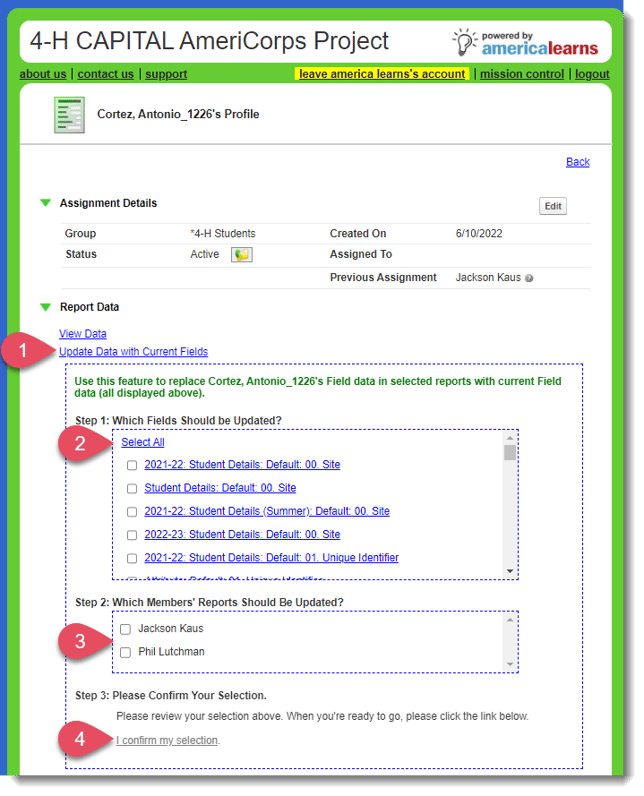
- AFTER performing the import of profile data, you may need to go through each merged identifier and Update Data with Current Fields