How to Locate Archived Reporter Accounts
-
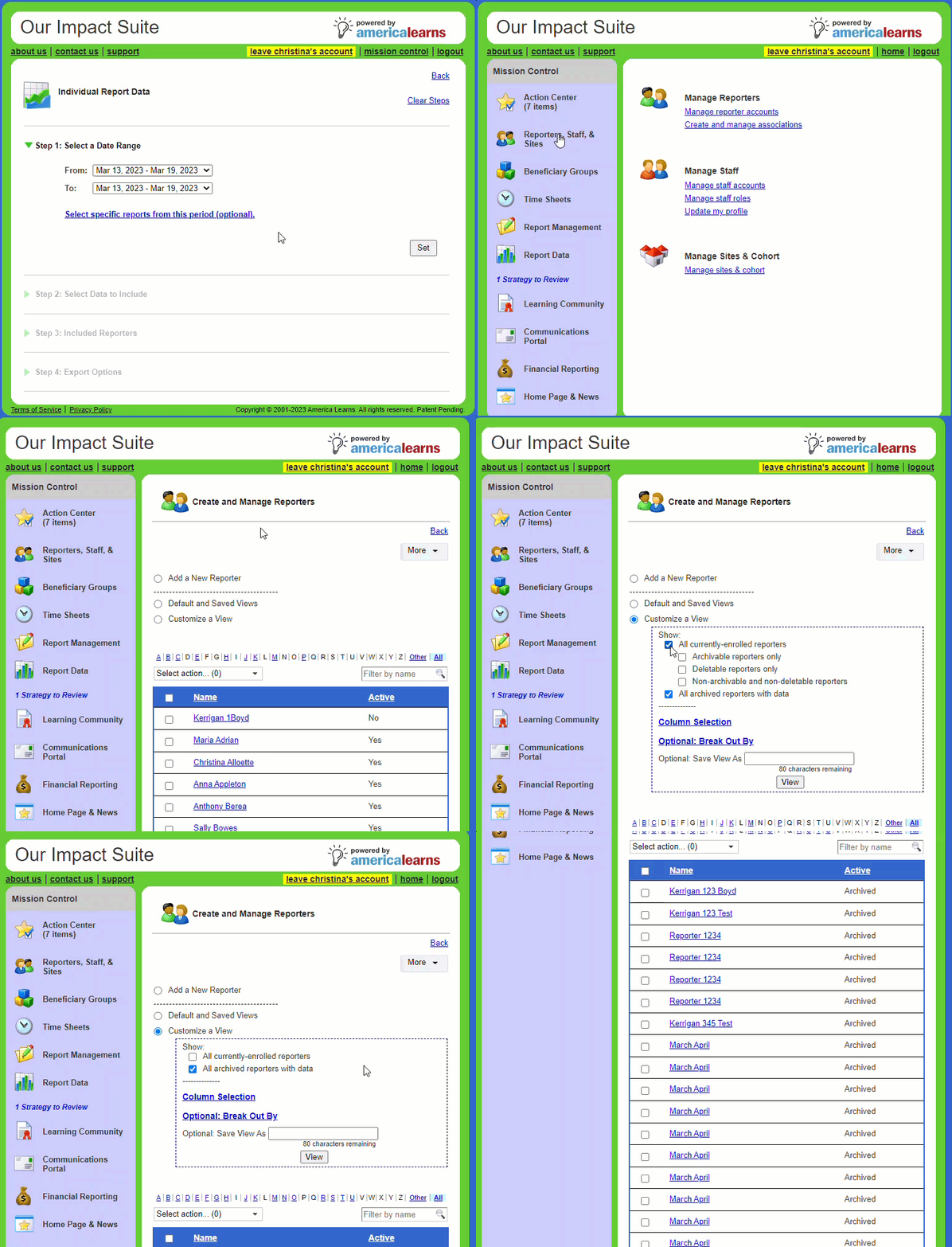
On the left, in your Mission Control, select Reporters, Admins, & Sites.
-
On the right, select Manage reporter accounts
-
At the top of the page, you’ll see a section called Customize a View.
-
Select the option All archived reporters with data.
- Click View to display your archived reporters.