Here's the guidance you need to export the narrative data from your Roles & Goals Tracker.
Access the Data to Export
1. On the left, in your Mission Control, click Survey Data.
2. On the right, under Additional Reports, click Group data.
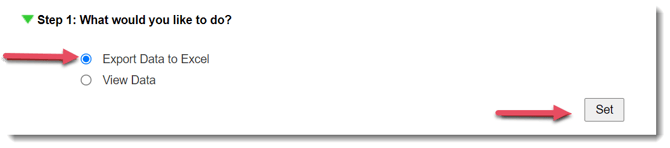
Step 1: What would you like to do?
In this step choose to view data on-screen, export data to Excel, or export data to CSV.
- Choose Export Data to Excel.
- To move to the next step, click Set.
(Need to View Data on-screen? Check out this article.)
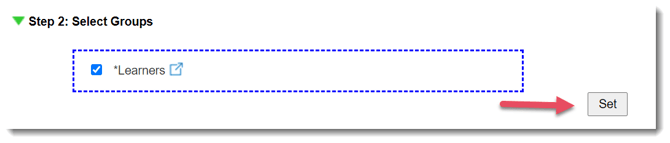
Step 2: Select your groups
- Select Learners.
- To move to the next step, click Set.
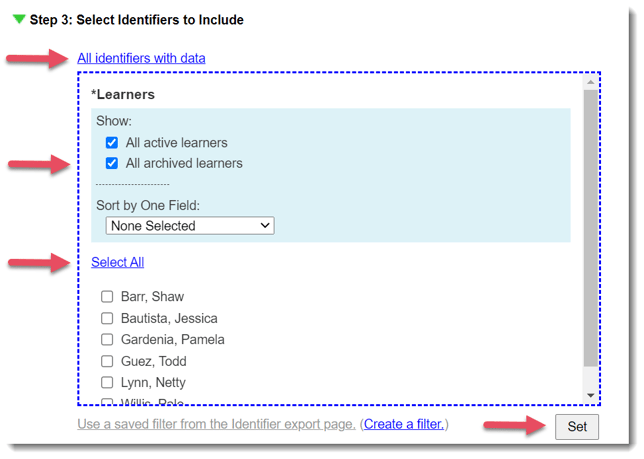
Step 3: Select the learners to include
- Select All identifiers with data
- Make sure All archived learners is checked
- Click Select All
- Click Set to move to the next step
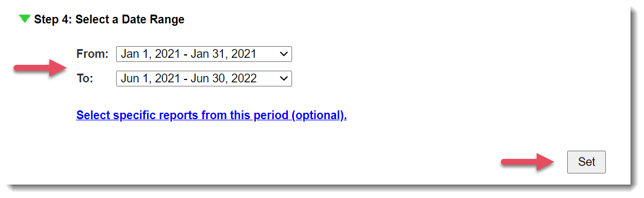
Step 4: Select a Date Range
- Use the drop-down menus to select your start (From) and end dates (To).
- If you need to export data from specific reports during a given period of time, enter that time in the To and From menus, and then select the specific reports by clicking Select specific reports from this period (optional).
- To move to the next step, click Set.
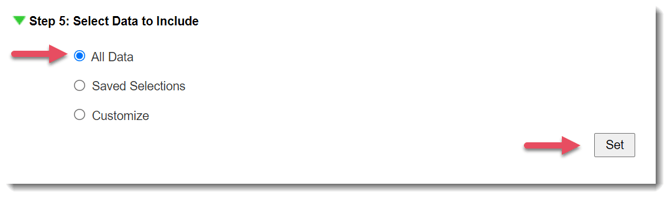
Step 5: Select Data to Include (Saved Selections and Export Options)
Here's where you'll select the specific data points to include.
- Select All Data.
- Click Set to save your selections.
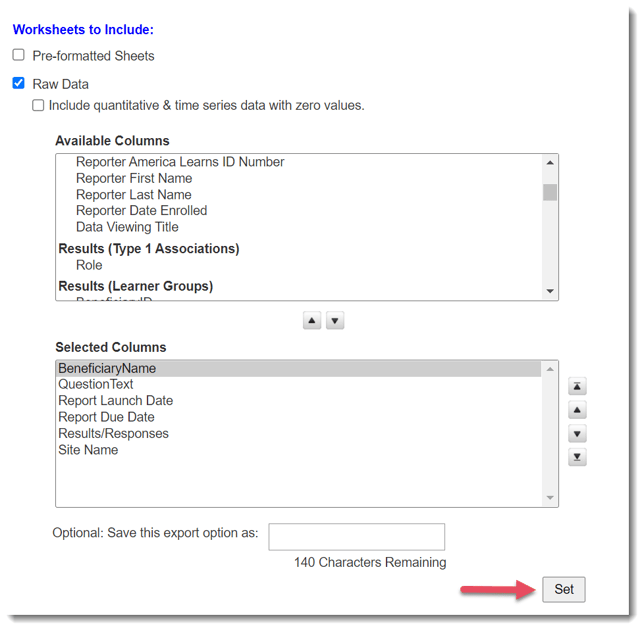
Step 6: Export Raw Data
- Select Raw Data.
- Click on items in the Available Columns table using the down arrow to place each column type in the Selected Columns table. You can include the following:
Identifier Name
Question Text
Survey Launch Date
Survey Due Date
Results/Responses
Site Name
Any other data you need - In the Selected Columns table, on the right, use the up/down buttons to set the order in which the columns will be displayed in your export file.
- Click Set to save your selections
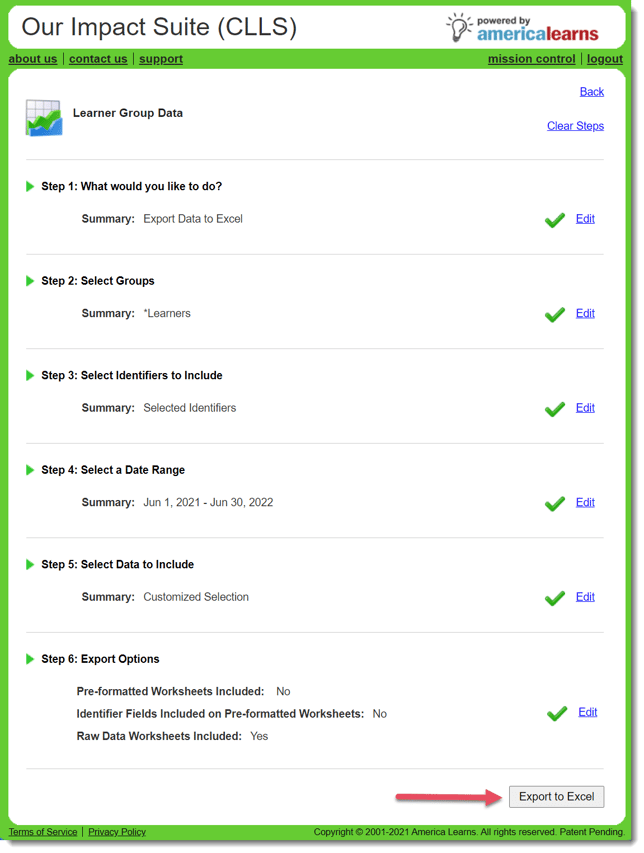
Export to Excel
- Once each step has a green check-mark, click Export to Excel.
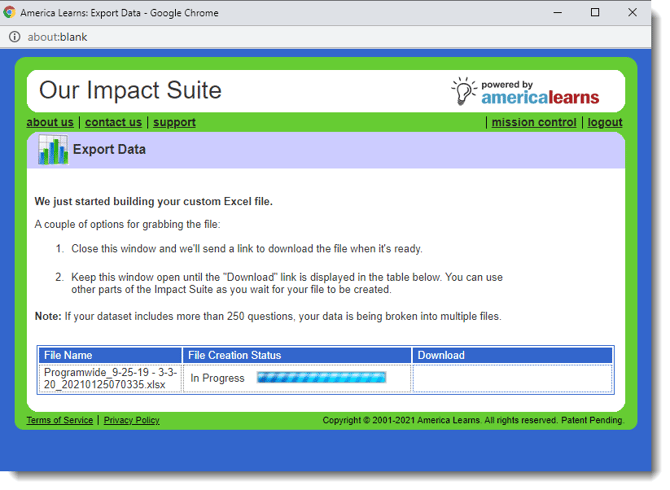
2. A window will appear showing you the progress of the export.
3. Keep the window open until the file is ready, or close the window and wait for a download link to show up via e-mail.