
Walkthrough
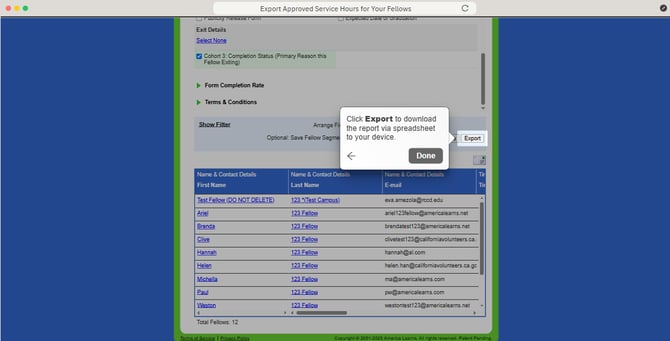
Export Approved Service Hours for Your Fellows
- In your Mission Control, click Fellows, Staff, & Community Host Partners.
- Under Manage Fellows, select Manage fellow accounts.
- Click on the More dropdown menu, and select Export Fellows.
- Organize your roster by clicking the radio button By Fellows' Names, and click Select All.
- Click Select Fields to Include.
- Open the Name & Contact Details panel, and select Email.
- Open the Timesheet Settings panel, under Timesheet Details, select the checkbox 2025-26 (Cohort 4).
Select the checkboxes Approved Hours and Pending Hours. - Open the Fellow Details - Cohort 4 (2025-26) panel., select the checkbox Returning for Program Year 2026-27?.
Under Exit Details, select the checkbox Cohort 4: Completion Status (Primary Reason this Fellow Exiting). - Click Export to download the report via spreadsheet to your device.