
Enrolling Your Reporters using Excel (abridged)
To enroll reporters using a custom Excel template:
- On the left, in your Mission Control, click Reporters, Admins, & Sites.
- On the right, click Manage reporter accounts.
- On the right, in the More menu, select Import Reporters link.
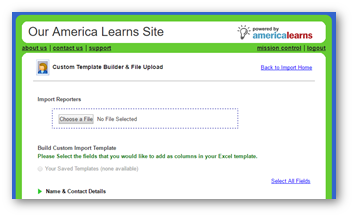
- You can use your own Excel document or create a custom template (use the bottom of the page to create and download your template).
-
At the top of the page, under the section called Import Reporters, use the Choose File button.
- Click Upload Excel File.
- Next, follow the remaining steps: map your fields, correct any errors, re-map fields (if needed), preview your import, perform import, and decide when to send the Welcome/Setup Email.