
Overview
A reporter’s account status must be Live and marked as 'Yes' in the Survey Participation field for that person to access surveys launched in your Impact Suite.
Changing a reporter's Survey Participation to Yes will also allow you to connect the reporter to any currently available surveys (active or in an extension period).
Enabling Survey Participation: En Masse
To update a reporter's Survey Participation status:
-
On the left, in your Mission Control, click Reporters, Admins, & Sites.
-
On the right, click Manage reporter accounts.
-
Select the check boxes alongside reporter names.
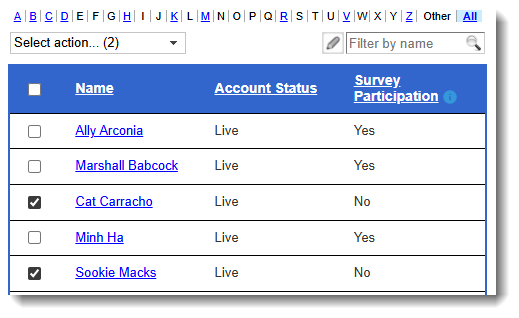
-
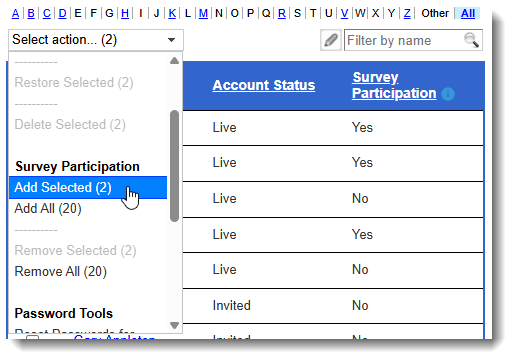
In the “Select action” drop-down menu, find the Survey Participation section.
-
Choose Add Selected (#). The number confirms the total number of reporters that you have selected.
-
If there are currently available surveys, you will see a pop-up window asking which surveys you would like to connect the reporter to, like this:
To disable survey participation for reporters, follow the same steps as noted above, but select the Remove Selected (#) option.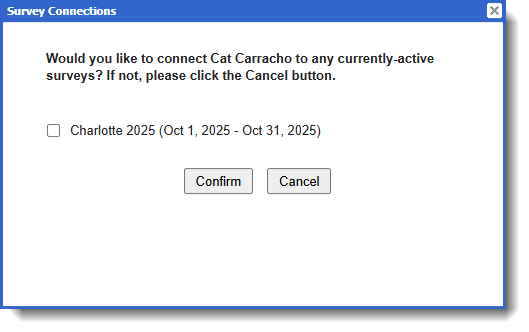
When disabling surveys from accounts you will be able to disconnect currently available surveys that the reporter has not yet completed. You will see a pop-up like this: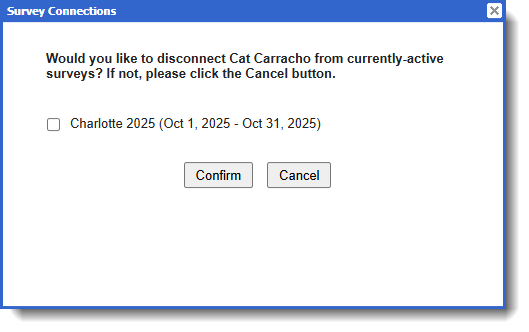
IMPORTANT: If you disable survey participation for reporters, you'll have to enable survey participation for them before they're able to complete another survey.
Survey Participation: This section is only relevant to clients who are invested in the Impact Suite's Survey Module.
Updating Survey Participation: From the Reporter's Profile
A reporter’s account status must be Live and marked as 'Yes' in the Survey Participation field for that person to access surveys launched in your Impact Suite.
Changing a reporter's Survey Participation to Yes will also allow you to connect the reporter to any currently available surveys (active or in an extension period).
To update a reporter's Survey Participation status:
-
On the left, in your Mission Control, click Reporters, Admins, & Sites.
-
On the right, click Manage reporter accounts.
-
Select the name of a reporter and their profile will open.
-
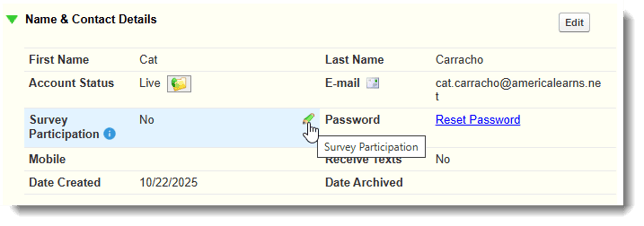
Open the Name & Contact Details panel by clicking on the green triangle.
-
Choose Add Selected (#). The number confirms the total number of reporters that you have selected.
-
Find the Survey Participation field and click on the pencil icon. A window will open
-
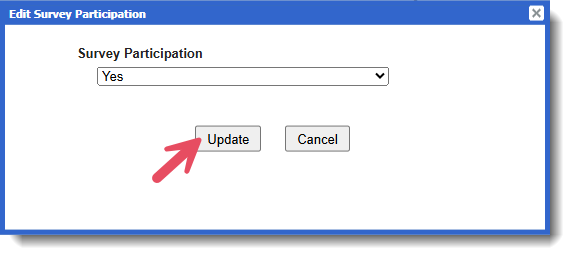
Under Survey Participation, use the drop-down to select Yes, and click Update.
-
If there are currently available reports, you will see a pop-up window asking which reports you would like to connect the reporter to, like this:
To disable survey participation for reporters in their profile, follow the same steps as noted above, but select the No in the pop-up window.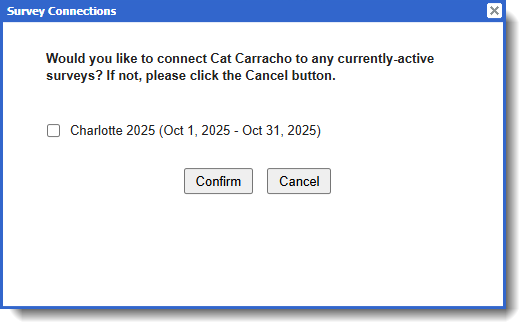
When disabling surveys from accounts you will be able to disconnect currently available surveys that the reporter has not yet completed. You will see a pop-up like this: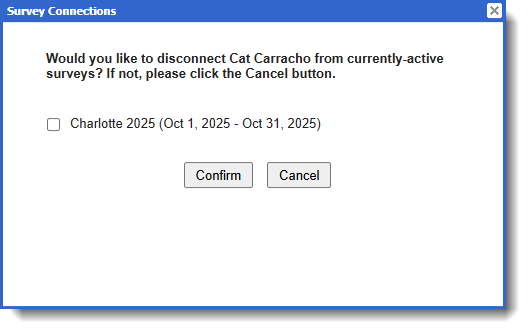
IMPORTANT: If you disable survey participation for reporters, you'll have to enable survey participation for them before they're able to complete another survey.