
Enabling Page-breaks for a Launched Form
To enable a page-breaks for Group questions on a launched survey:
-
On the left, in your Mission Control, click Survey Management.
-
On the right, click Manage forms.
-
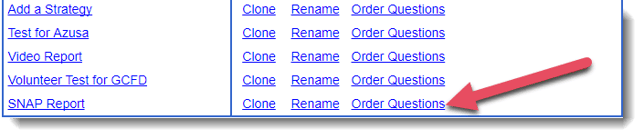
Find the survey you would like to update with page-breaks and click the Order Questions link.
-
When the survey opens, your Group questions will have this option (select the check-box to enable):
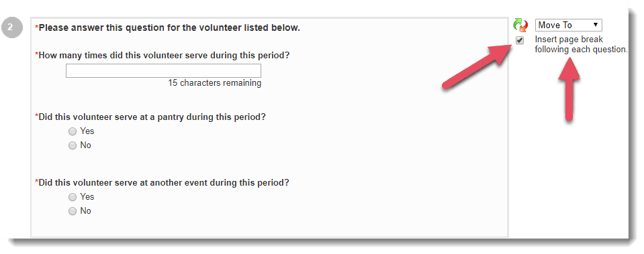
- This will turn on page-breaks for this question when it is duplicated for each Group identifier (student, learner, classroom, project, etc.).