
What is Multi-Factor Authentication (MFA)?
Multi-Factor Authentication (MFA) helps protect sensitive data by requiring users to verify their identity beyond just a password, reducing the risk of unauthorized access. Once enabled, users will enter a password and a one-time code sent to their email or an Authenticator app.
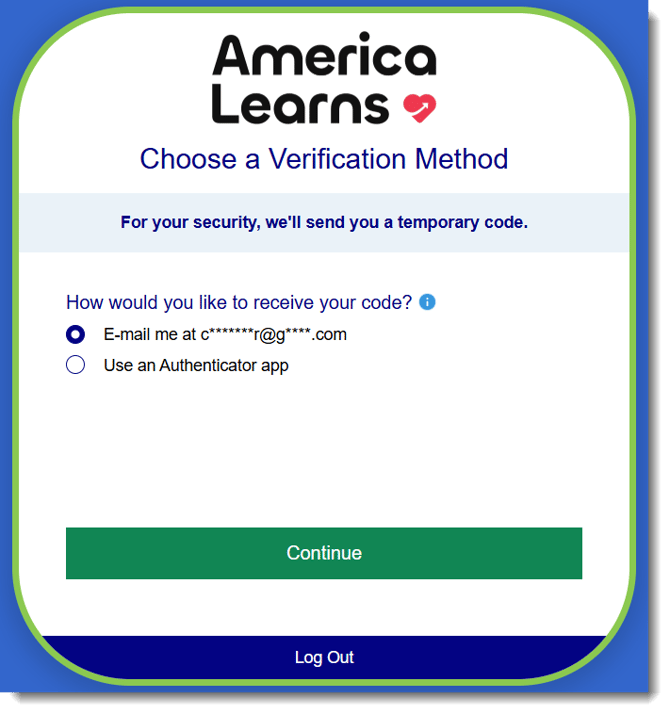
Who can turn on MFA on my Impact Suite?
Only Main Administrators can enable MFA for admin and reporters.
If you aren't sure who your Main Administrator is, please contact us at support@americalearns.net for help.
Enabling MFA for Reporters
Here are the steps for enabling MFA for your reporters.
- On the left, in your Mission Control, click Reporters, Admin, & Sites.
- On the right, click Manage reporter accounts.
- On the far-right, use the More drop-down menu and select Manage Reporter Authentication*.
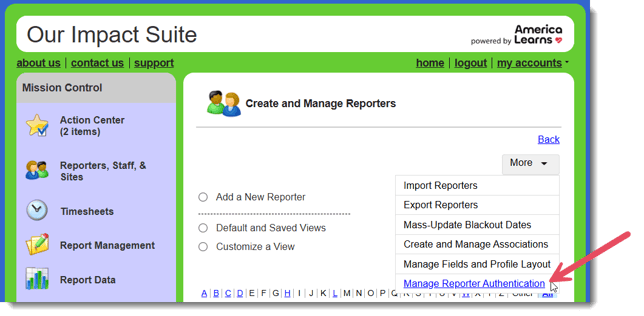
*If you do not see this option, you are not the Main Administrator. Please ask your Main Administrator to enable this option for your reporters. If you aren't sure who your Main Administrator is, please contact us at support@americalearns.net for help. - A window will open.
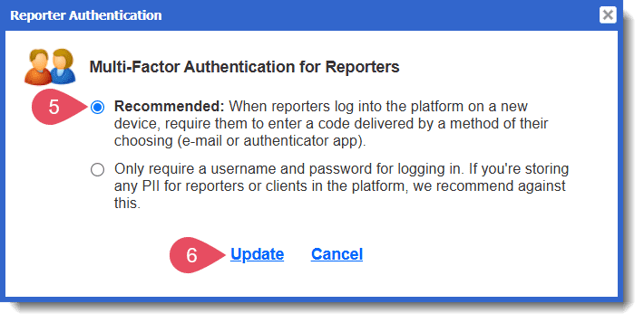
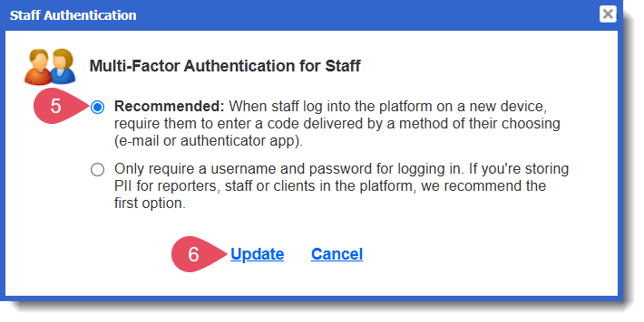
- Choose the "Recommended" option to enable MFA for your reporters.
- Click Update to save your changes.
Enabling MFA for Admin
Here are the steps for enabling MFA for your admin.
- On the left, in your Mission Control, click Reporters, Admin, & Sites.
- On the right, click Manage admin accounts.
- On the far-right, use the More drop-down menu and select Manage Admin Authentication*.
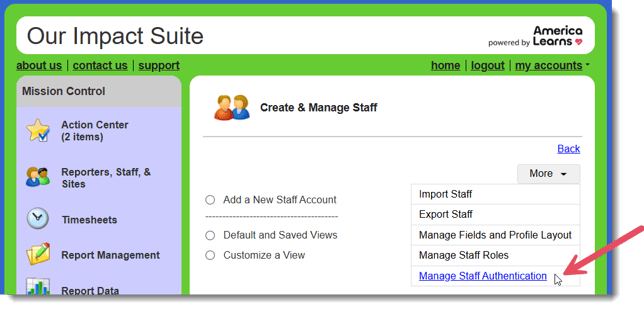
*If you do not see this option, you are not the Main Administrator. Please ask your Main Administrator to enable this option for your admin. If you aren't sure who your Main Administrator is, please contact us at support@americalearns.net for help. - A window will open.
- Choose the "Recommended" option to enable MFA for your admin.
- Click Update to save your changes.
How Often Will Users Need to Obtain a Code?
If your people generally use the same device to log in, using the 'Remember this device' option (see image below) will mean they'll only need a code when they log in on an unrecognized device or their browser experiences an update.