What to do when a Member exits early
Following these procedures will prevent early exiting Members from receiving communications or being included in reports. It does not permanently delete their data.
Here are the steps
- On the left, in your Mission Control, click Corps Members, Staff, Coordinators & Supervisors, & Host Sites.
- On the right, under Manage Corps Members, select Manage corps member accounts.
- Click on the name of the Member you wish to archive.
- Open the panel called 2024-25 Member File.
Find the subpanel called Exit Documentation.
On the right, click the Edit button.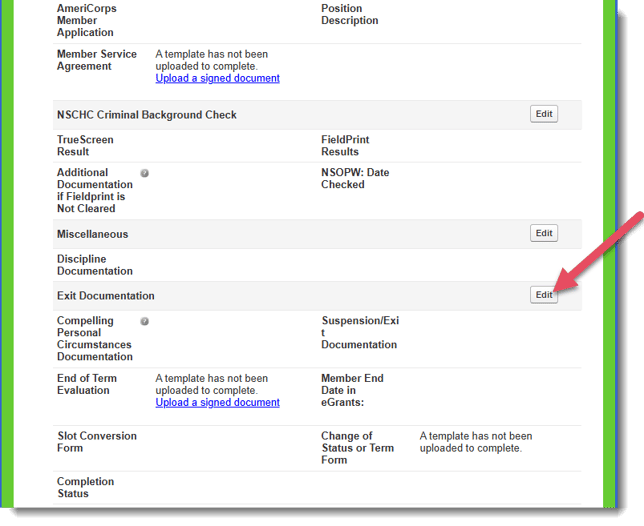
- In the pop-up window, change the Completion Status by selecting why the Member is exiting and click Update.
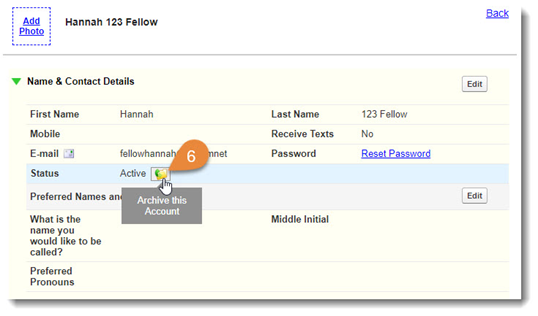
Status Definition Early Exit - No Education Award Served fewer than 300 hours and did not complete the program. Early Exit - Compelling Personal Circumstance Member exited the program due to serious illness, death of an immediate family member, etc. Conditions outside of the Member's control. Successfully Completed - Earned Education Award Fellow served through the end of the program date and completed a minimum of 300 hours. - Scroll up to the Name & Contact Details panel. Hover over the Status icon and select Archive this Account.