Editing Site Names
If you need to update the name of a site, follow these steps:
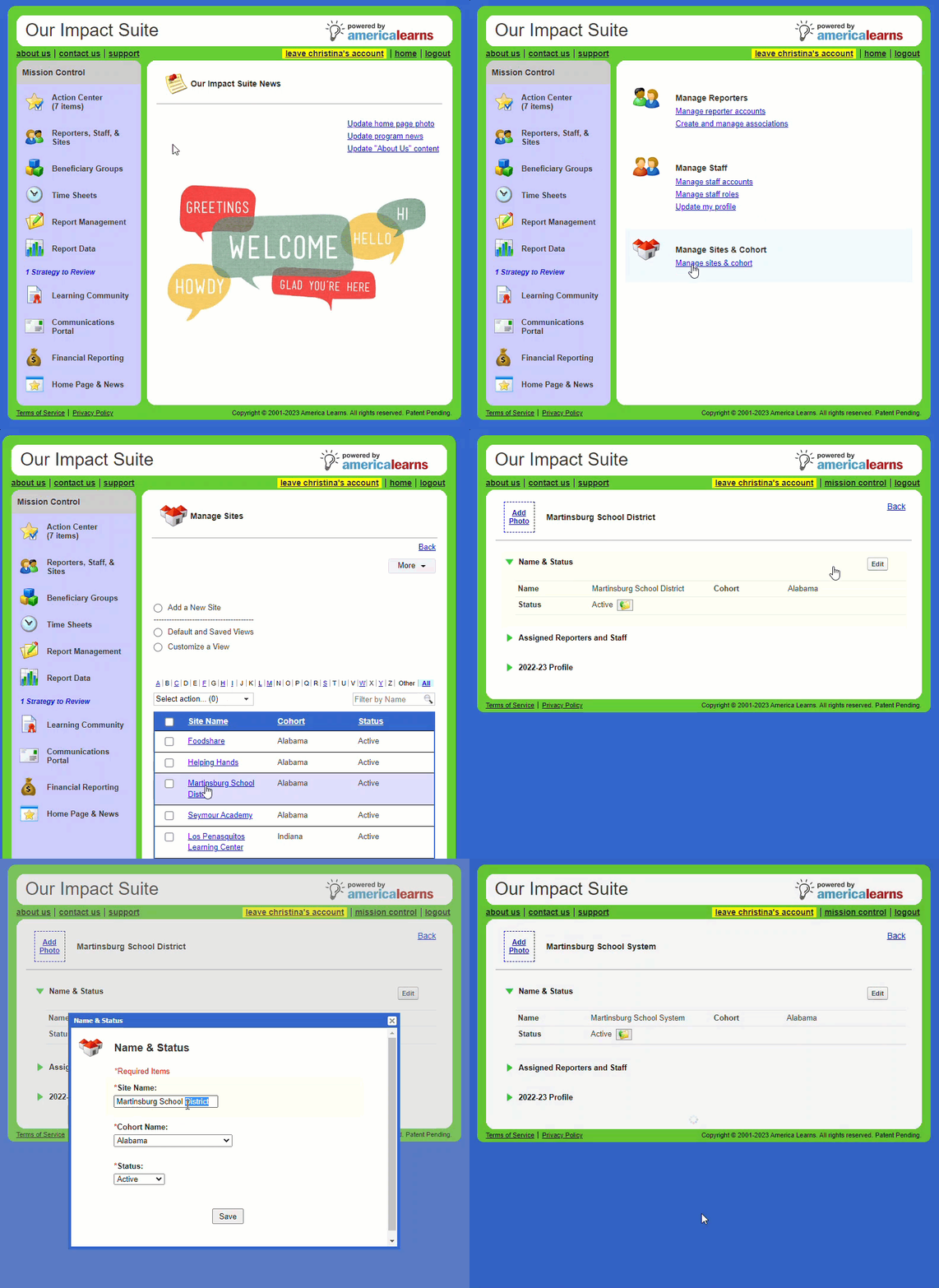
- On the left, in your Mission Control, click Reporters, Admins, & Sites.
- On the right side, click Manage sites & umbrella.
- Click on the site where you want to make an update.
- The Site Profile will open.
- Open the Name & Status panel and click the Edit button.
- A window will open.
- From here, you can update the name of the site.
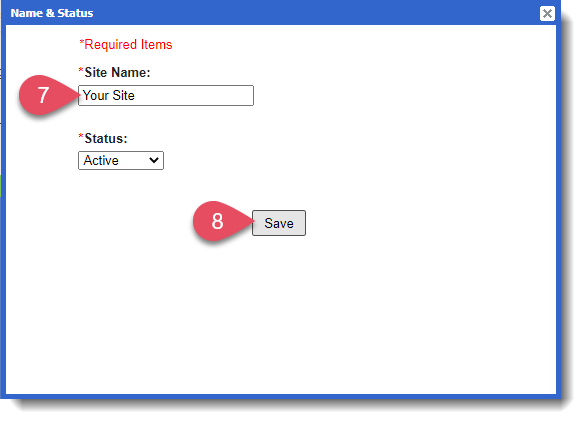
- Click Save to update the site.
WARNING: Never overwrite the name of a site, even if it is being ‘replaced’ by a new site. Overwriting site names will result in previously entered data appearing with the new name. Create new sites, and only use the editing feature to clarify or correct name.