Editing Identifiers (names)
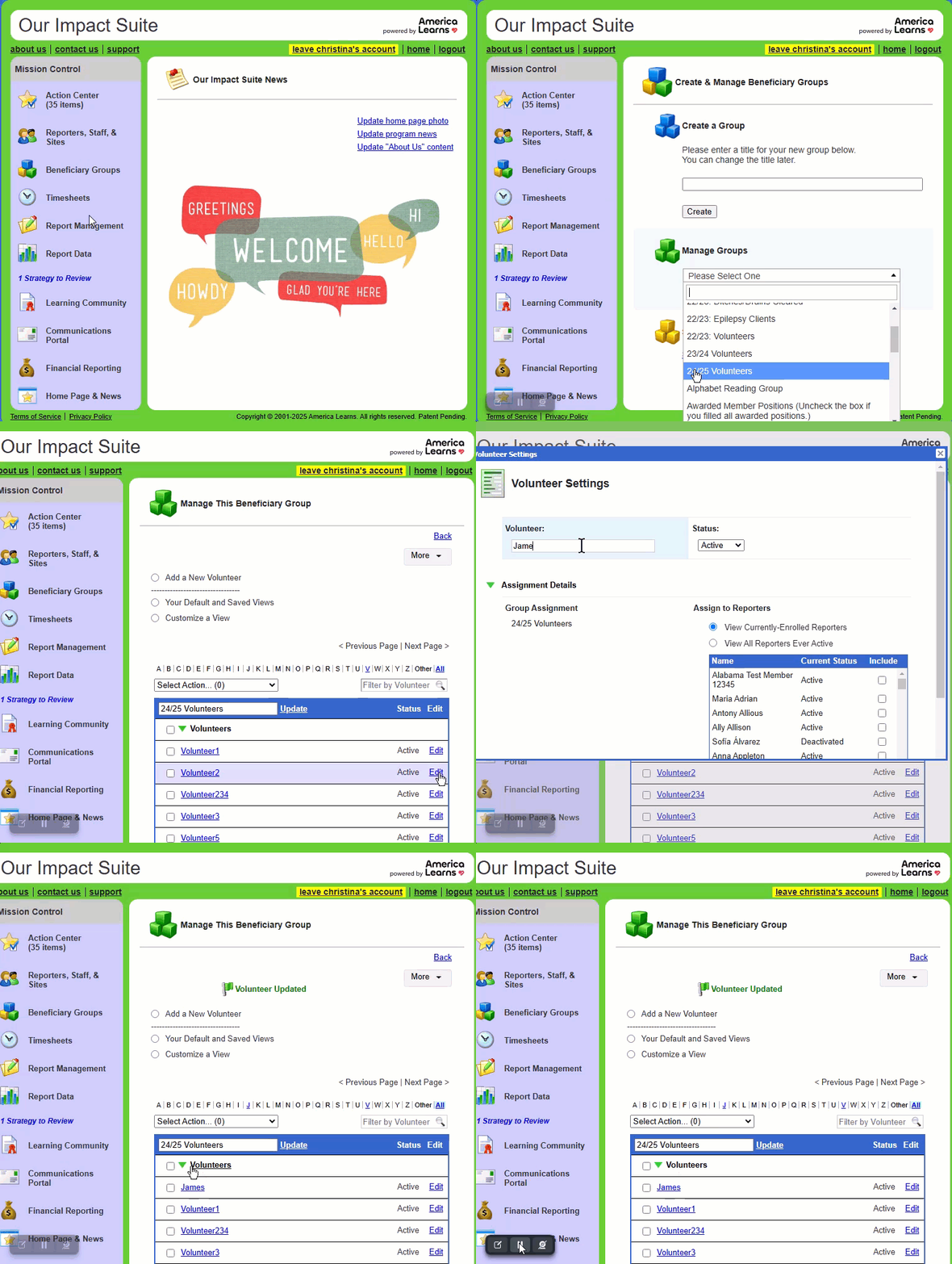
Here are the steps for editing an identifier (name) entered by you, a reporter, or admin reporter:
- On the left, in your Mission Control, click Groups
- Find the section called Manage Groups and use the drop-down menu to select your group.
- On the next page, use the search options to find the identifier you need to update.
- On the right, click the Edit link and a window will open.
- Edit the identifier (name) and scroll to the bottom of the window and click Update.