Editing Identifier Assignment and Disconnection Dates
When you assign or disconnect an identifier to a reporter, the dates are reflected in your Impact Suite. You may need to edit those dates.
Here's how to edit the dates
- On the left, in your Mission Control, click Identifier Groups.
- Select the group with the identifiers you'd like to edit under Manage Groups.
- Select the identifier
- In the identifier's profile:
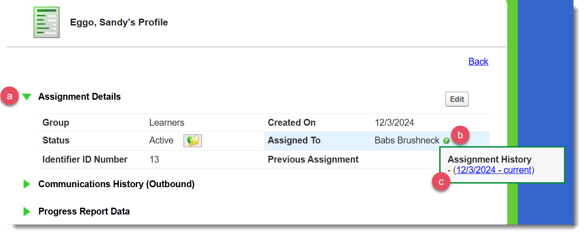
- Open Assignment Details panel
- Hover over the more information icon (the question mark) next to the reporter's name
- Click on the blue hyperlink that contain the connection and (if applicable) disconnection dates.
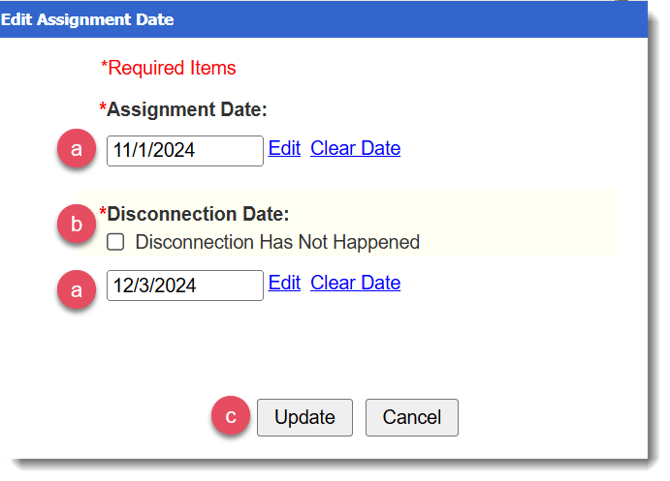
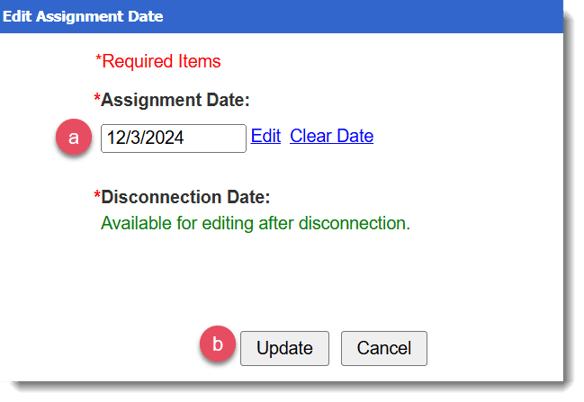
- A pop-up window will appear.
- Enter the new date OR click Edit to select from a calendar.
- Click Update.
- To edit disconnection dates:
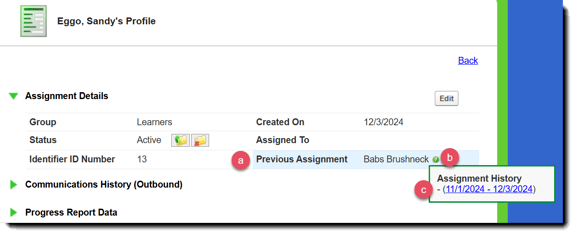
- After opening the Assignment Details panel, look for the reporter in the Previous Assignment field.
- Hover over the more information icon next to the reporter
- Click on the blue hyperlink that contain the connection and (if applicable) disconnection dates.
- A pop-up window will appear
- Enter the new date OR click Edit to select from a calendar.
- If you need to remove the disconnection date, check the box Disconnection Has Not Happened.
- Click Update.