
Video Support
To edit admin accounts:
- On the left, in your Mission Control, click Reporters, Admins, & Sites.
- On the right, click Manage admin accounts.
- In the table choose the admin reporter you'd like to edit.
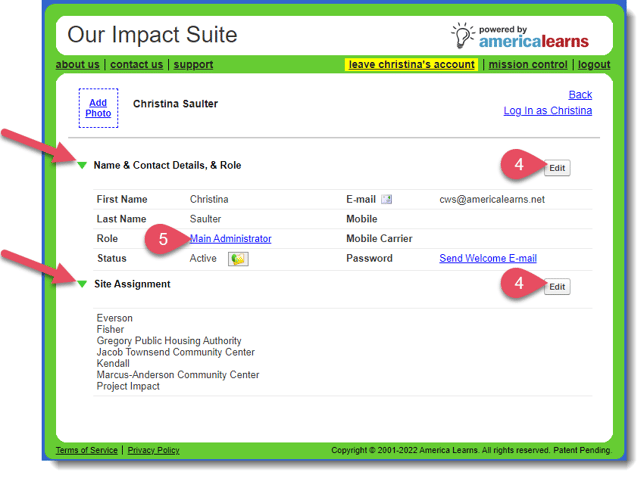
- Open panels using the green arrows, and make edits by clicking on the Edit buttons.
To add a site, open the Site Assignment panel.
On the right, click the Edit button.
Click Update to save your changes. - You can change the permissions associated with an admin role by clicking on the role link.
IMPORTANT: Changes made to the admin roles from this link will be made to all admins with the associated role.