
Video Support
Editing a signNow Template within the Profile Management Area
What happens when you upload a signNow template and realize you made a mistake? It's super easy to edit your templates within your Impact Suite!
Here are the steps:
Here are the steps:
- On the left, in your Mission Control, click Reporters, Admin, & Sites.
- On the right, click Manage reporter accounts.
Note: If you're planning to edit a template in the admin or site profiles, alternately, please select Manage admin accounts, or Manage sites & umbrellas. - Use the More drop-down menu on the top right-hand side and select Manage Fields and Profile Layout.
- Locate the document signing field you'd like to edit by opening the relevant panel.
- Once you've located the correct field, notice the green text underneath the field title that states either a) Select a Template to Edit - where you have unique templates for reporters, or b) Edit Template - where you use one template for all reporters.
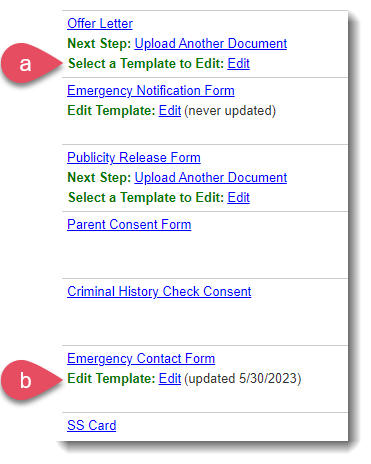
- To the right of the green text, click Edit.
Note: If you select to edit a signNow field that has multiple templates, a dropdown menu will appear for you to choose which template you'd like to edit. Select the appropriate template.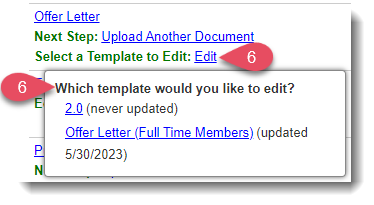
- After selecting your template, you will be automatically pulled into the signNow portal. Once your template loads, make any necessary edits.
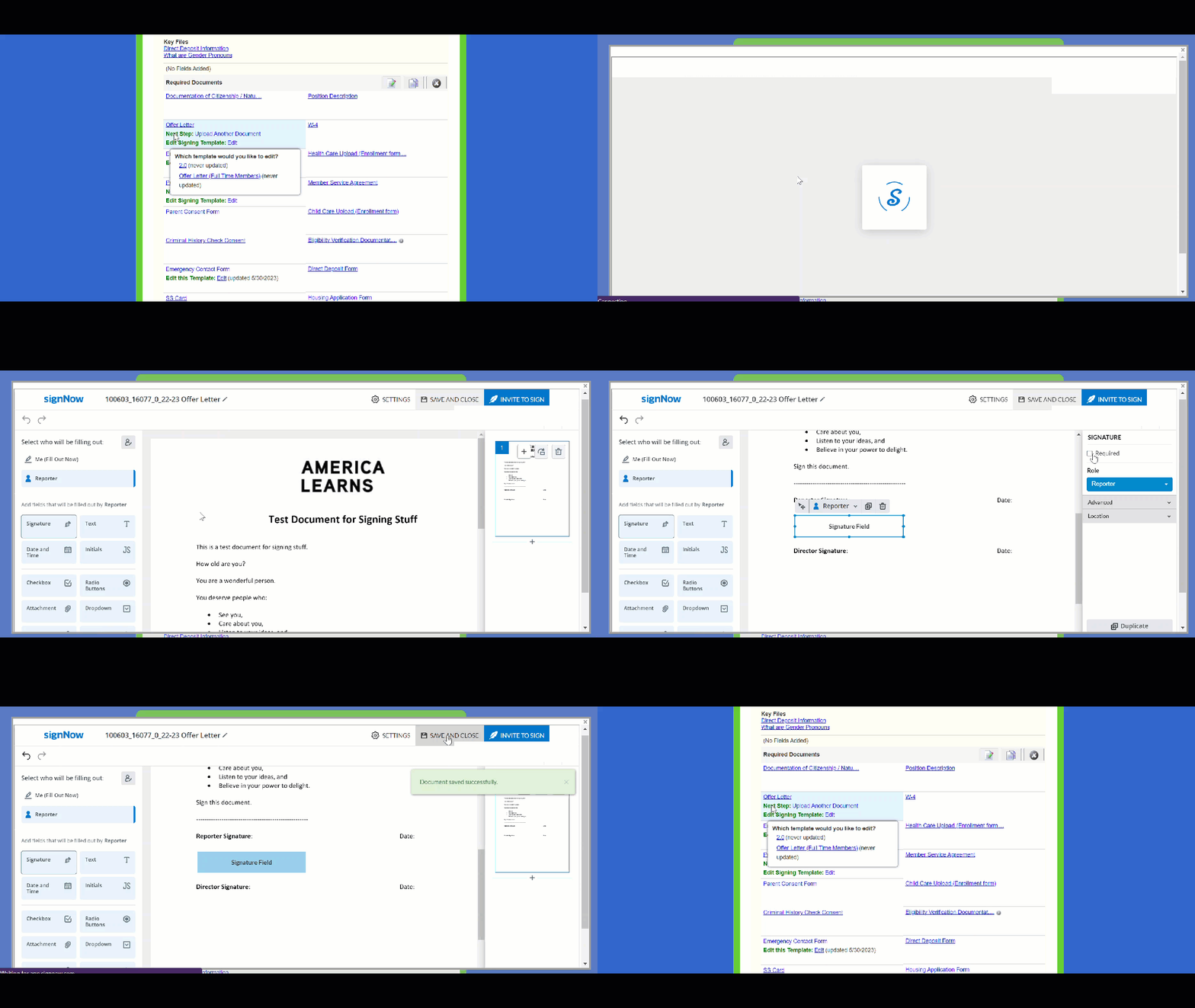
Note: To cancel an edit at this stage, select the X at the top-right of the signNow window, and changes will not be saved. - After desired edits are made, select Save and Close.
- That's it! The template has been edited for all future signers, and the profile field will now reflect the date the last edits to the signNow template were made.
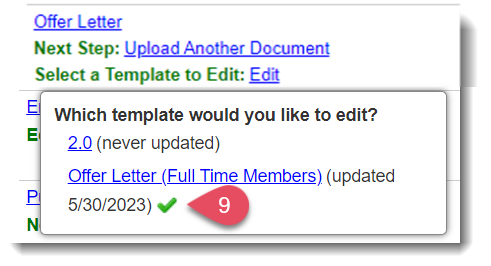
Important: This process does not affect documents that have already been signed. To remove a signed document from a reporter's profile so they can sign an updated template, please follow this link for guidance.