
Deleting (Canceling) Scheduled Launches
If you need to cancel (delete) a scheduled launch follow these steps.
To do this:
- On the left, in your Mission Control, click Survey Management.
- On the right, click Manage existing & scheduled launches.
- Find the Scheduled Launch you would like to cancel.
- Under the Action drop-down, choose Delete.
- If the launch in question is any frequency other than Once, you will see a message asking if you would like to delete just this launch or this launch and other future launches in the series.
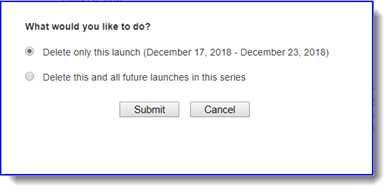
- Click Submit to delete the launch. Click Cancel to keep the launch as it is.