
Creating Your Own Strategies
As you post strategies, please note that most reporters are more likely to use strategies that are a page and a half or less in length than longer strategies.
Reporters also tend to value attachments they can download and print to go along with strategies. So whenever you post a strategy that requires the use of paper-based materials, definitely include those materials.
Follow these steps to create your own strategies:
-
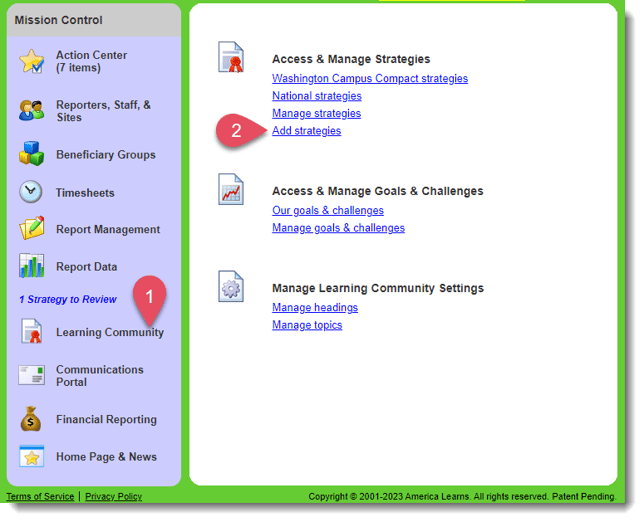
On the left, in your Mission Control, click Learning Community.
-
On the right, under Access & Manage Strategies, click Add strategies.
-
Follow the instructions in the next section to post the strategy.