
Walkthrough
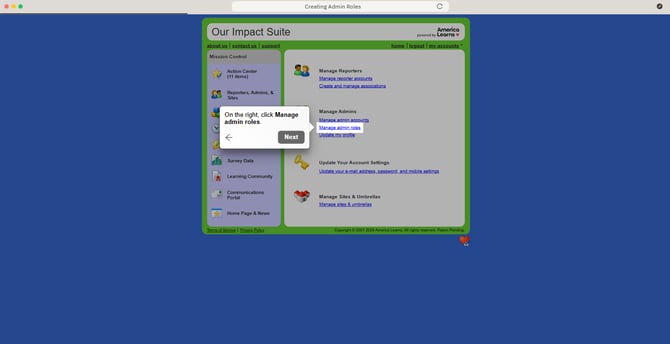
Creating Admin Roles
Before enrolling Admins, you will create a handful of roles, and then assign each person to a given role.
To do this:
- On the left, in your Mission Control, click Reporters, Admins, & Sites.
- On the right, click Manage admin roles.
- Click, Create a New Admin Role.
- When the window opens, give your new role a name.
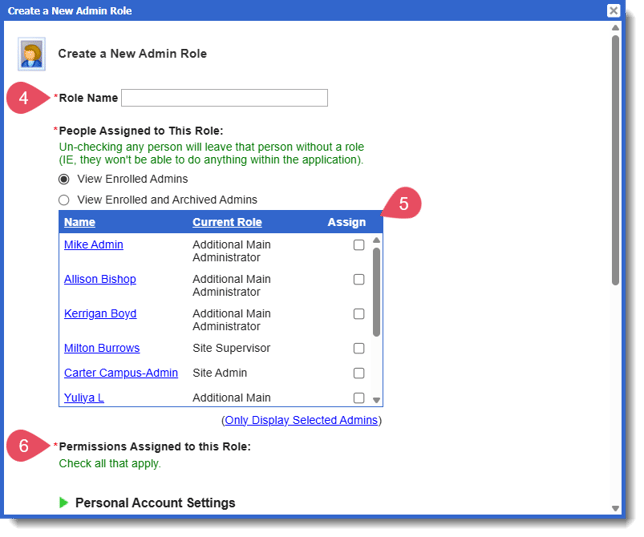
- Next, you'll see a list of any Admins that have already been created. Here you can assign roles to Admins.
- Then, assign the appropriate permissions to your role. (To find out more about Admin Permissions: check out this article.)
- Click Save.
Video Support