
Canceling Data Editing Requests
If you decide that you don’t want a reporter to update a question that an admin asked them to edit, follow these steps:
-
On the left, click Survey Data.
-
On the right, under Individual Reporter Data, click Manage reporters who need to edit data.
-
Here you will find a list of all reporters with data that was returned for editing.
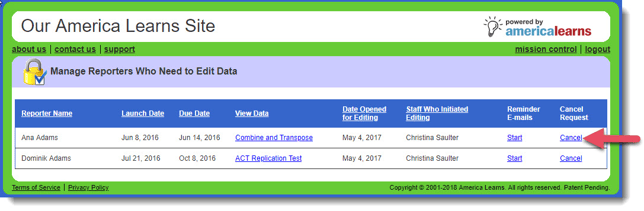 To cancel, simply click the Cancel link to the far right.
 -
To finalize the cancellation, use the confirmation window.