
Can I Create a Quick Survey to Send Out to My People?
Of course.
Here's how:
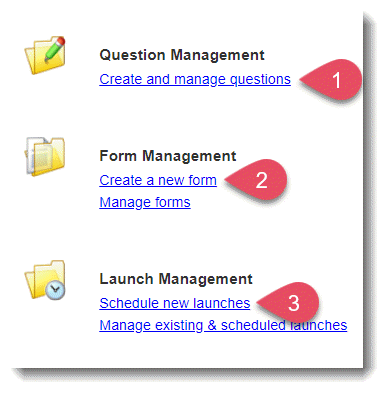
First, create all of your questions.
-
On the left, in your Mission Control, click Survey Management; and then
-
On the right, click Create and edit questions.
-
On the top left, click Create a New Question. Create all of the questions you would like to include in your survey.
Next you'll combine your questions into a form.
-
On the left, in your Mission Control, click Survey Management.
-
On the right, click Create a new form.
-
To add a question to your new form, click the Add Question checkbox alongside the question.
-
Once you’ve selected your questions, click Order Selected Questions at the top or bottom of the page.
-
The next page will give you a chance to order the questions on your form. To order questions, either select a question and drag it to its desired location OR select the location using the Move To drop-down menu to the right of each question.
-
Once you are happy with the order of your questions, click the Name This Survey button at the top or bottom of the page.
-
Type the name of your form and click Create.
Finally, you'll schedule the form to launch to your people.
-
On the left, in your Mission Control, click Survey Management.
-
On the right, click Schedule new launches. Just follow the steps to launch the survey.