Walkthrough
Assemble Back-Up Documentation for the Program Year
Each program we partner with has its own year-end closeout practices, including expectations for digital or paper back-ups. This section outlines the most common approaches.
Digital Back-Up – Export all timesheets into a single PDF
Follow the steps in this article to export all timesheets into one consolidated PDF. We recommend saving that file in multiple secure locations, such as a secure local drive, a secure cloud drive, and/or a flash drive.
Paper Back-Up - Print copies of every timesheet
Follow the steps in this article to export all timesheets into one consolidated PDF, and then print it.
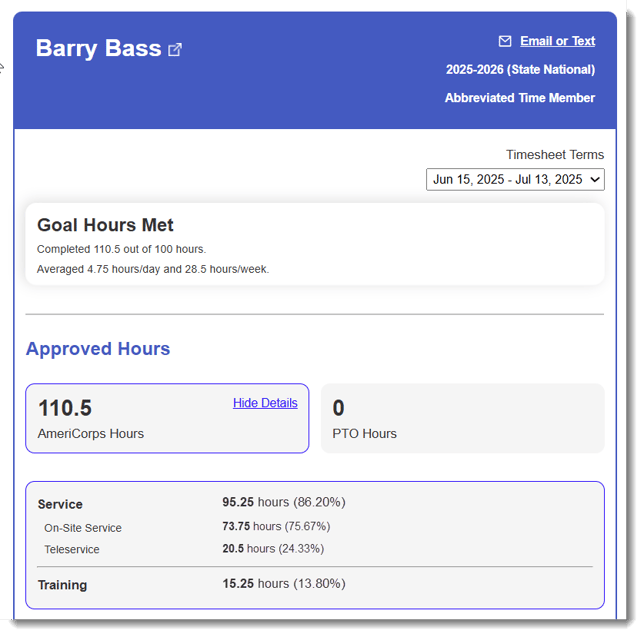
Create Screenshots of Reporters’ Final Approved Hours for Any Paper Files
-
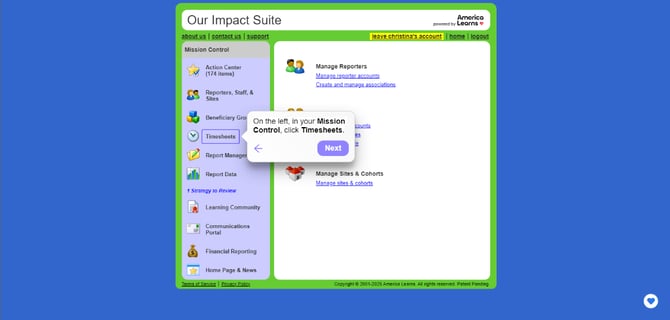
On the left, in your Mission Control, click Timesheets.
-
On the right, under the section View & Screen Individual Timesheets, select your template.
-
Click Display all relevant reporters below.
-
Select the name of the reporter you are exiting.
-
Print the final Timesheet Dashboard screen.