
Archive Group Fields
To archive a field follow these steps:
-
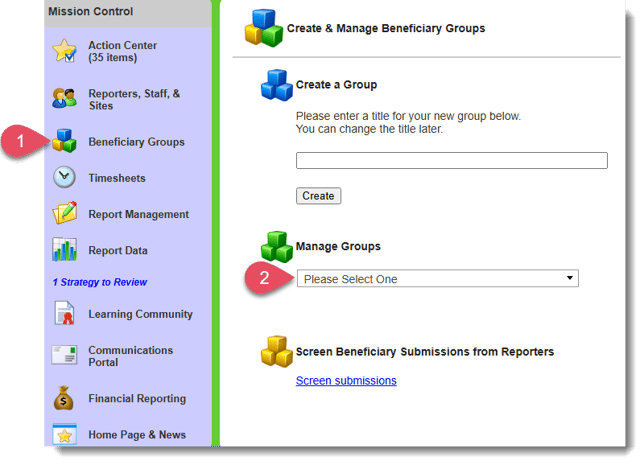
On the left, in your Mission Control, select Groups.
-
Find the section called Manage Groups and select group you'd like to work on.
-
On the top-right, use the More menu to click Manage Profile Layouts and Fields.
- On the top-right, use the More menu to click Manage Fields.
- From here, use the "Status" column to change fields from "Active" to "Archived".
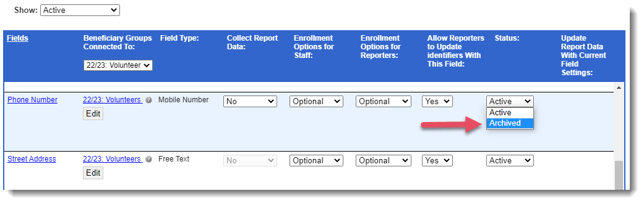
- Click the I Confirm My Updates button to save your changes.